Companions
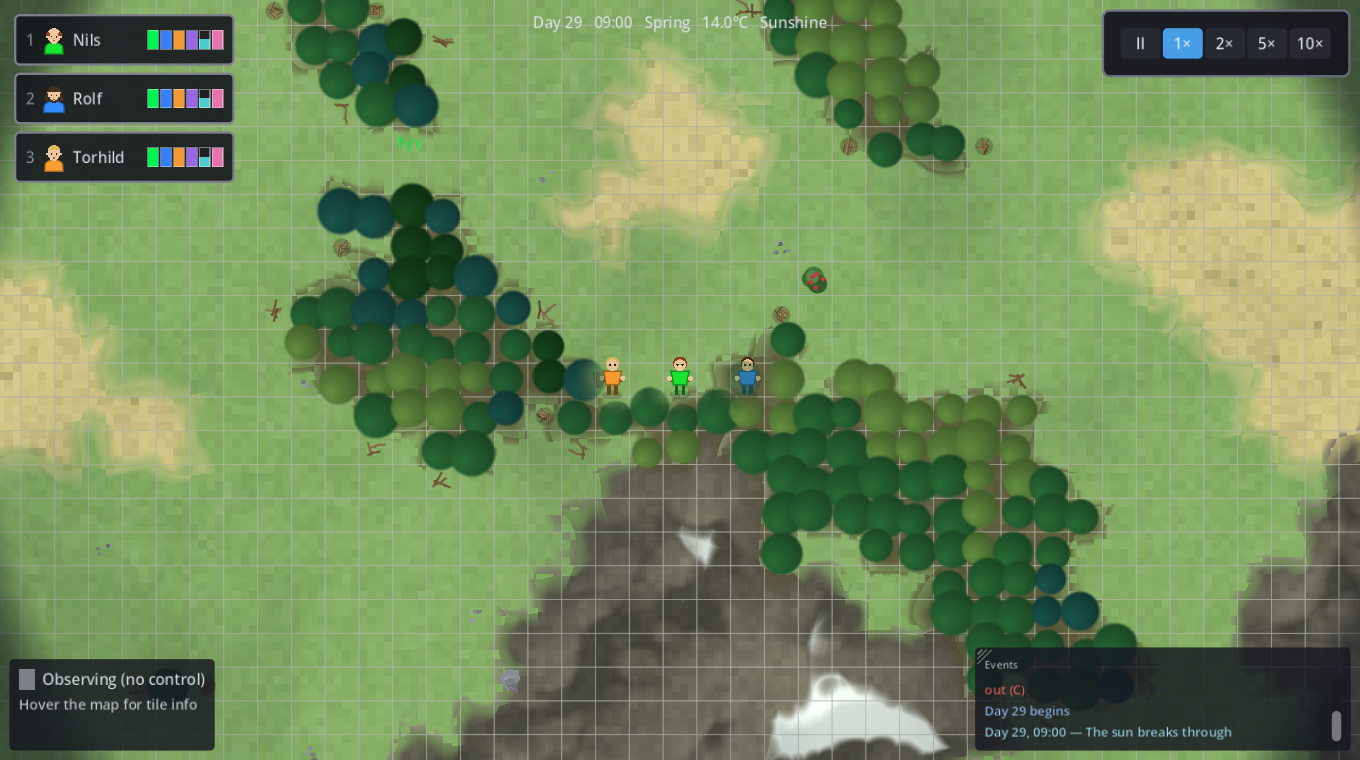
Two halves: the Player Guide is everything you need to play, and mirrors the in-game F1 help. The Developer Reference below it maps each mechanic to its files, seams, tunables and console commands.
What changed in v0.9.0 short form
Everything this build brought, one line each — so this page says what it is before it says how the game works. The long form, with every reason and number behind them, is CHANGELOG.md in the repository.
v0.9.0 this build 2026-08-04
Added
- The map has a height field, and everything now reads it
- Every island has a wind now, and it decides where the green is
- The ground under a farm matters now
- Woods are thick or thin, and a tree is worth what its ground is worth
- Somebody was on the island before you
- The coast has kinds now — beach, sea cliff and marsh
- Settings → Graphics → Smooth shape edges
Changed
- The island sheds its own water: no river is placed any more
- A felled tree lies where it falls
- The automated lumberjack finishes one tree before starting the next
- The water you carry weighs what water weighs — 1 kg the litre, down to the tenth
Fixed
- A walking creature no longer redraws itself, and the world stopped being one fog switch away from unplayable
- Every fog event froze the game for ~0.9 s
- Pressing G wrote the run's history
- FogOverlay no longer accumulates an unbounded per-cell backlog while it is hidden, which…
Overview
What the game is, and the shape of a run.
You control a party of three companions from an RTS-style top-down view: box-select, right-click to command. There is no player avatar — the three are equals, and the party grows to at most ten by taking in wanderers you meet (see Your party). Every one has the full set of survival stats and can die individually; losing one is meant to feel tragic. On the hardest difficulty that loss is permanent (see Difficulty & saving). The only threats are nature — food, water, temperature, weather, seasons and distance — plus reactive wildlife that may defend itself. Nothing ever attacks your base.
A run is a cycle of three phases
- The manual opening — everything by hand, no automation. Scout for a viable site, live hand-to-mouth off what you find.
- The automated base — buildings unlock jobs, each companion's rule program runs the day, the settlement hums.
- Exhaustion → migration — the land wears out, the party packs what it can carry, treks, and starts over stronger: skills, equipment and recruits persist, the place does not. Each year winters bite harder.
The 512×512 map is budgeted for roughly 3–5 settlement cycles — that is the designed run length. Phases 1 and 2 are playable today; phase 3 is not built yet — nothing yet forces you off a working settlement, so a run ends when you stop, not when the land does.
Move & look WASD · F · Tab
- WASD pans the camera (free look). The view stays where you put it — selecting or commanding never yanks the camera.
- F centres the camera on the selected character and follows it (a group is framed at its centre). Tab does the same while switching companions.
- Right-click commands every selected character (see Command); a green ping marks the ordered spot, and a green circle snaps briefly tight around the object you gave the order on. Hold right-click to steer continuously — the selection follows the cursor until you release.
- Dense forest and loose sand slow walking to 80%.
- Mouse wheel or +/- zoom; M snaps to the widest zoom. Mouse at a window edge scrolls the view (tune speed/width in Esc → Settings → Gameplay). Over a panel the wheel scrolls that panel — it never zooms the map underneath it.
- There is no minimap and no overview map — you never see the whole island at once. Reading and remembering the land is part of the game.
- The time-warp bar sits top right (pause, 1–10×). Switch on Esc → Settings → Graphics → Show FPS and the frame rate appears directly under it — green above 50, amber above 30, red below. It updates four times a second on real time, so time warp and pause do not change how it reads.
Your party 3 → 10 companions
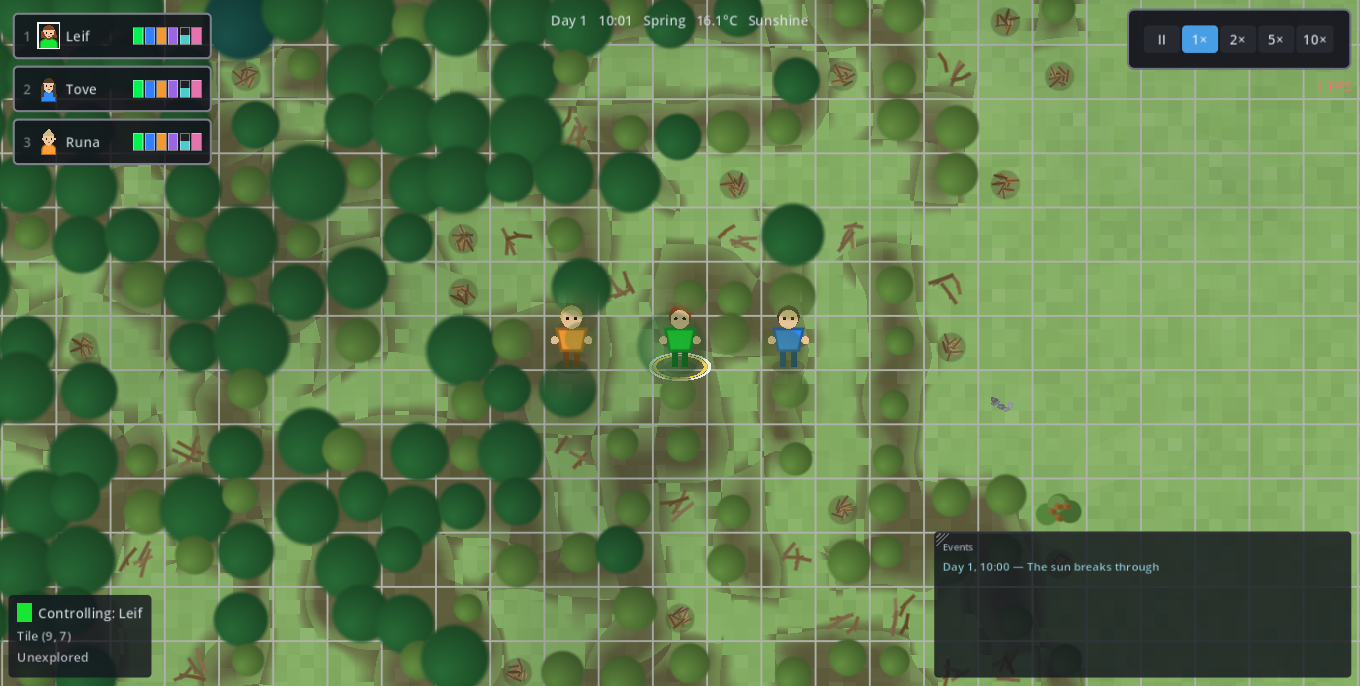
- Characters are moved by right-click only. There is no keyboard steering — WASD always pans the camera, never a companion.
- Left-click a character to select it (green / blue / orange; a white ring marks it). Exactly one selected = it is "yours": E-gather and build use it, and it walks your right-clicks at full speed.
- Drag a box to select several and command them together.
- Left-click empty ground deselects — observer mode; everyone just runs its jobs.
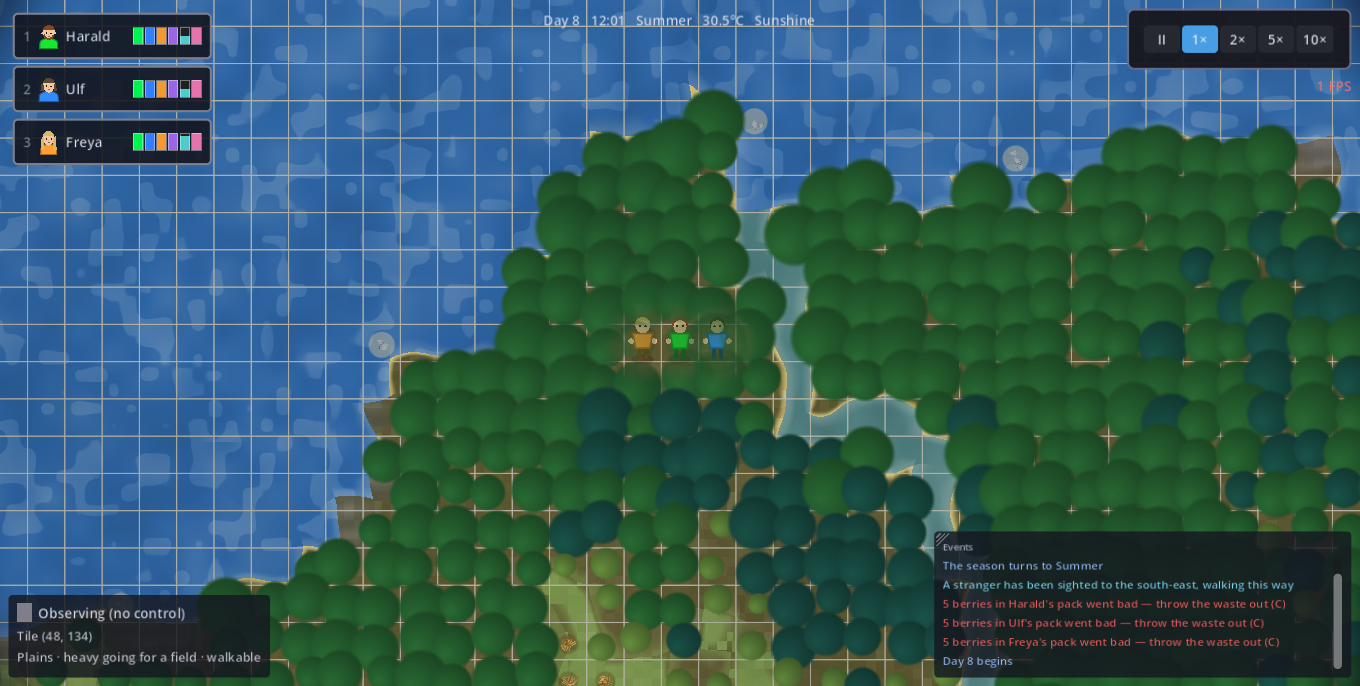
- The bottom-left info panel follows the mouse: hover any tile for terrain + what stands on it (tree species & wood left, water salinity, buildings, stockpile usage, plant stock); hover a character for its current activity. Fog applies.
- Tab switches control to the next companion; 1–9, 0 select directly (tap twice to also centre the camera). Hotkeys are fixed for the run — a dead companion's number stays vacant.
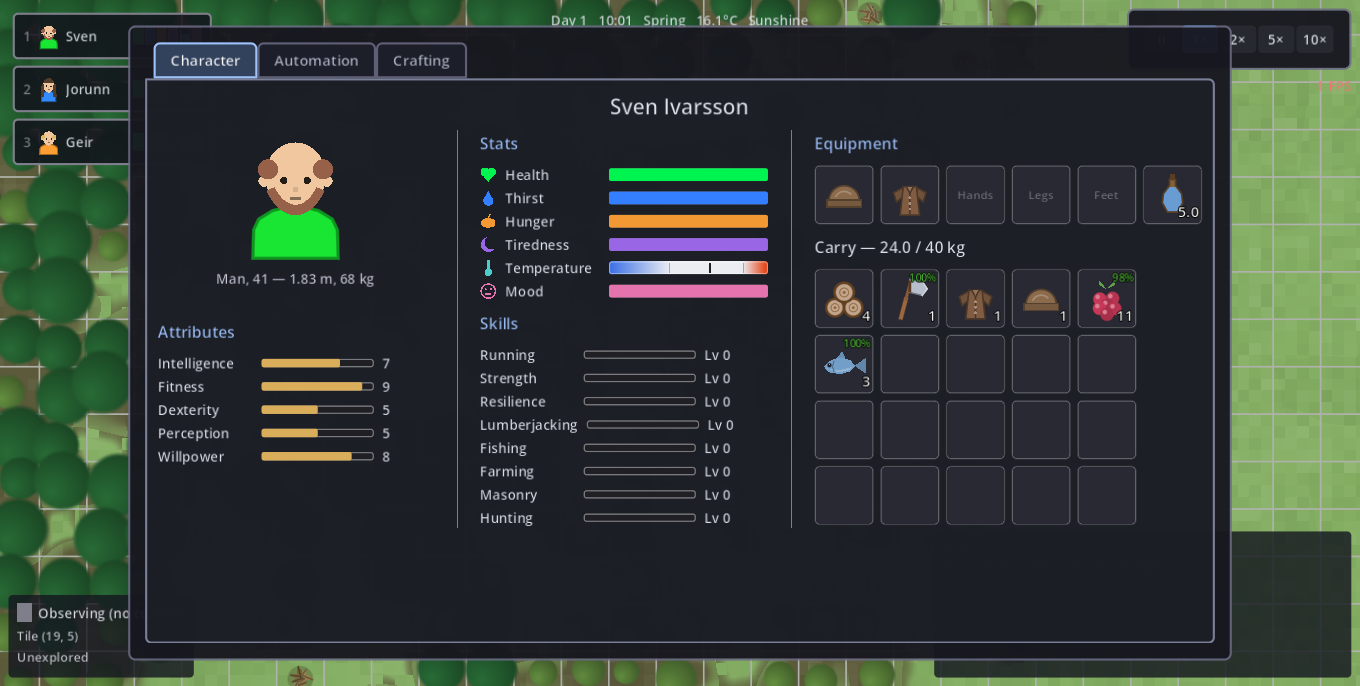
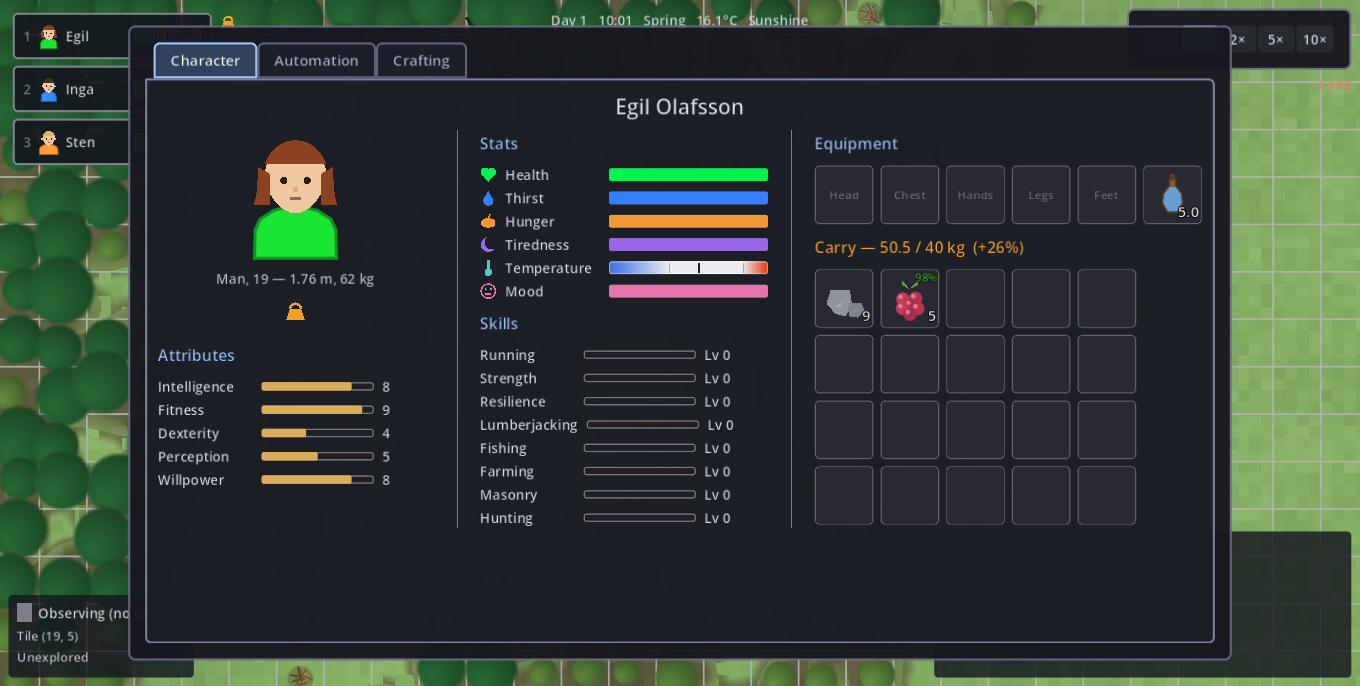
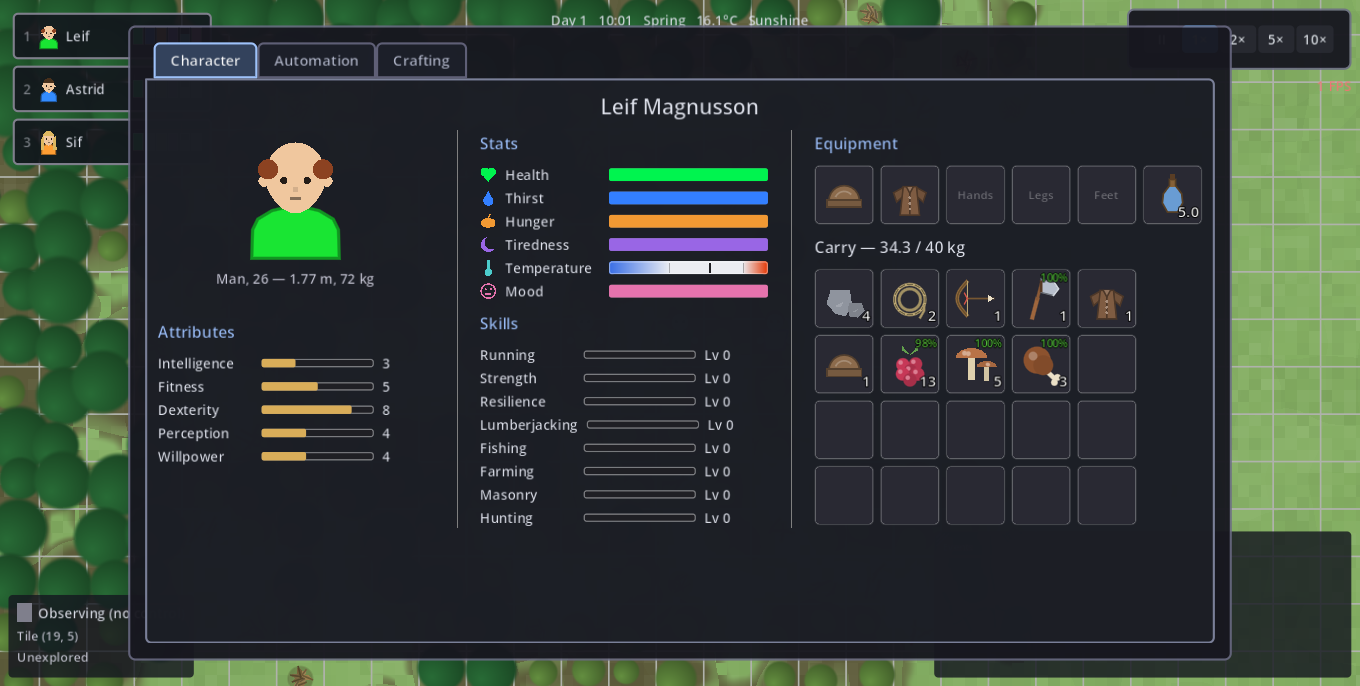
- Companions learn by doing. Walking trains Running (speed), each trade trains its own skill, heavy trades & building train Strength (carry + build speed), and enduring cold/rain/exhaustion hardens Resilience (falls ill later). A run's veterans are made, and they are what you carry to the next settlement.
- Strangers come knocking. Every so often a wanderer walks in out of the wild and waits a few days at the settlement — the event log names the direction they came from, which is your only warning to go and look. Left-click them for their panel: name, body, base attributes — and nothing else, because a recruit arrives unskilled. Take them in or send them on; wait too long and they leave. The party is hard-capped at ten, and a new pair of hands eats before it earns.
- Not everyone means it. Some wanderers are false companions: they work slowly, help themselves to the stores, and one night they are gone with whatever they could lift. Nothing on the panel gives it away — the event log does, over days (someone at the stores after dark; a day's work that came up short). A companion with Perception 8 or better names the culprit outright; below that the log only reports the deed. Expel anyone who joined from their character sheet (C) — and be wrong at your own cost.
Command — right-click RMB
Right-click sends every selected character; what happens depends on what you click. Your word is absolute — a character never breaks off an order, even to save itself. It posts a red warning when critical and carries on; abort the order yourself if you want it to live.
Every click flashes a green ping at the ordered spot, and when the order was given on something — a tree, a bush, a stack lying on the ground, an animal, a fire, a stockpile, another companion, a cave mouth — a green circle snaps tight around that object for a moment. Feedback for the eye: on a crowded tile you can see what the party understood you to click, not merely where the cursor was. A plain walk onto open ground has nothing to ring and gets only the ping.
| You click… | They… |
|---|---|
| Open ground | Walk there (paths around deep water, mountains, house walls) |
| Fresh water / a well | A ring of choices: Drink (until thirst is full, then top up the waterskin) or Fill skin (fill the waterskin to the brim and nothing else — filling is not drinking, so an errand to a pond never makes the scooper swallow it) |
| Tree / rock / plant | Harvest into the carry (trees until felled) |
| A bed (its exact cell) | Sleep until fully rested |
| A campfire 1 selected | A ring of choices: Tend fire or Boil water — either walks over and opens the fire exchange window on the slot you picked. Nothing goes in by itself |
| A campfire group | The unattended orders: refuel from the carry or nearby stores (wood or twigs), or boil what is carried |
| A dropped stack | Pick it up into the carry |
| A stockpile 1 selected | Walk there and open the transfer window |
| A stockpile group | Haul carries there and unload onto the tiles |
| Another companion 1 selected | Walk over and open the carry-to-carry transfer window — you have to hit the body, a click a tile away is a walk |
| Another companion group | Just walk over. No window — a group has no single carry to trade from |
| A blue construction site | Join the build: fetch, deliver, raise it |
| A job building fisher's hut, lumber camp, farm, mason's yard, hunting lodge | Work that building's trade by hand — fish that hut's water, chop, sow, mine, hunt. No rule program and no planning table needed: this is the manual way into every trade. It walks to the building first (which is what ties the order to that hut instead of the nearest one) and then works outward from where it stands. A pending craft order or a worn tool to mend takes precedence at the camp and the yard — those are what you clicked it for |
You can only order what you can see. On ground the party has never explored, a right-click means walk there and nothing else — no drink ring over a lake under the black, no harvest on a tree nobody has found, no left-click panel on a store or a fire out there, and no blueprint staked on unseen ground: choosing where to settle is meant to be scouting. Ground you have explored answers everything even when nobody is looking at it — the map does not forget where the water is. Wildlife is stricter still: an animal can only be clicked while its cell is in live sight, because a remembered deer is a deer that has long since wandered off. Walking into the dark is never gated; that is how you scout.
Shift+right-click queues the order as a waypoint. A plain right-click replaces the whole queue. Nobody looks after themselves at all — drinking, eating, warming and sleeping happen only on your order or through the rule program (T).
A bed someone else has claimed refuses the order: it is dropped with a warning rather than silently ignored, so a sleep command that "did nothing" is worth a look in the event log.
What a left-click opens
Right-click orders; left-click a building to look at it. The panel opens without touching your selection, so you can read a fire while a companion keeps working. This is also the only place the ranges below become visible.
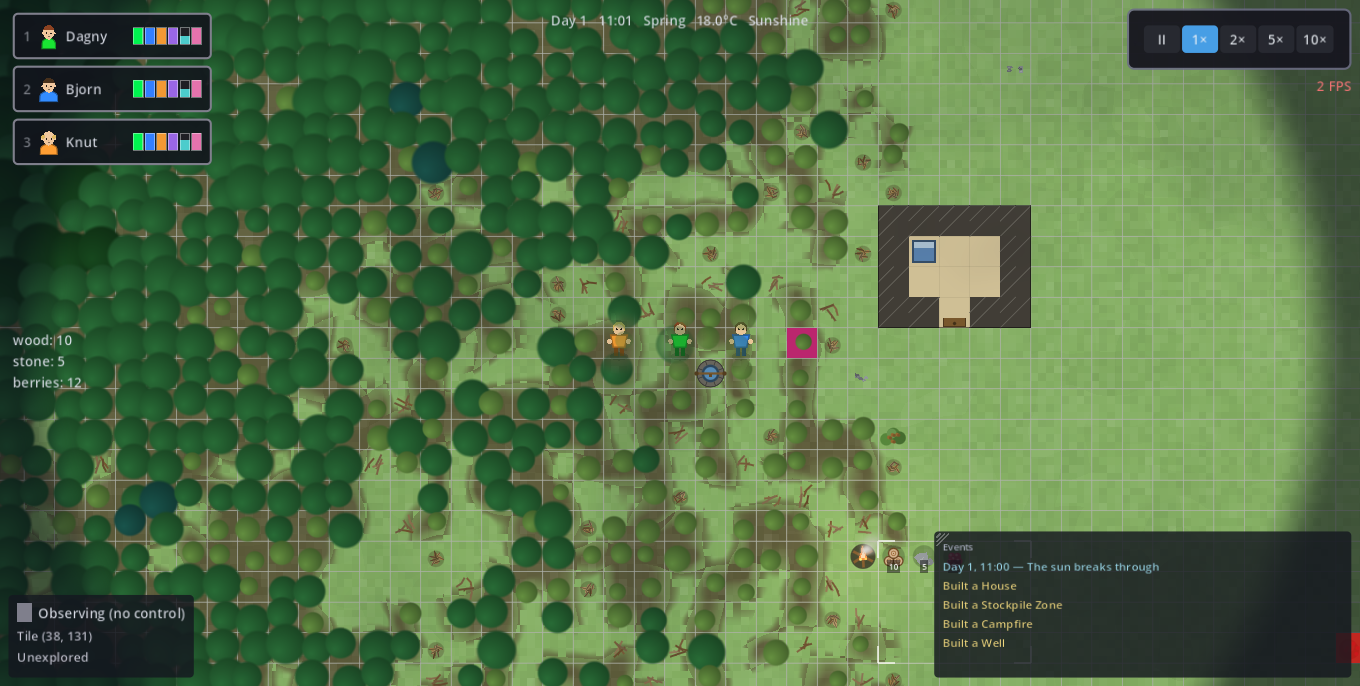
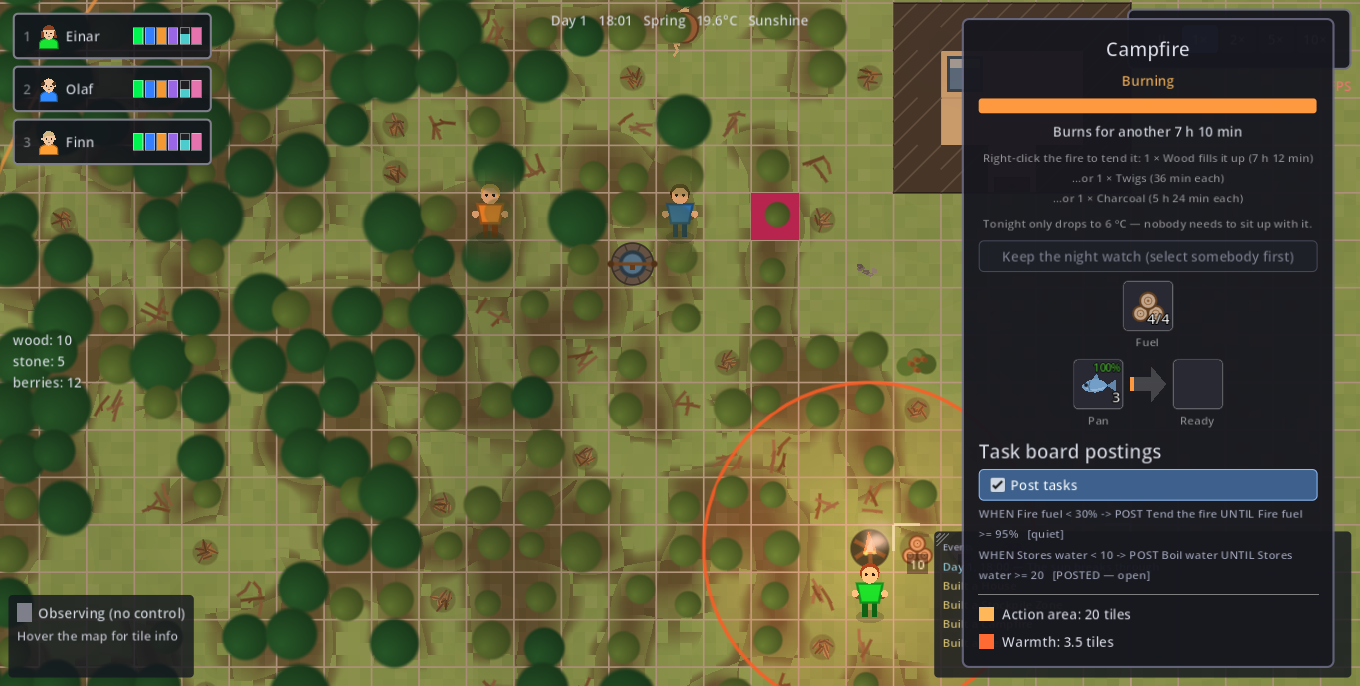
- A campfire — how long it still burns (in game time), how much one log adds, and its three slots (see the fire window). It draws two circles on the map: an amber action ring and, well inside it, a smaller red warmth circle. Warmth is the small one — standing in the amber ring does not thaw anybody.
- The night watch — the fire's panel also does a sum you should not have to do at dusk. A campfire filled to the brim burns about 7 in-game hours; a night lasts 12. A straw bed gives no warmth of its own and no roof, and a sleeping companion does nothing at all — so on a cold night a party that all lies down around the fire wakes up short a companion. The panel says plainly whether tonight needs somebody sitting up with it: red when it does, green when the fuel already covers the night, grey when the night is too mild to matter. It reads 03:00, the coldest hour, with today's weather applied — not the temperature you can feel right now. Keep the night watch posts everyone selected there until first light: they hold position inside the warmth and feed the flame whenever it will take fuel. Set it at dusk, while there is still light to gather the wood by — the order holds through the evening and ends at the morning after the night, not at the next glimpse of day. It costs a night's sleep, so the watcher is tired the next day — rotate the duty. If the fuel runs out mid-watch it says so and ends, rather than standing there pretending.
- A well — what it serves and its action ring.
- A stockpile — what lies on it, how full its tiles are, and its acceptance rules.
- A construction site — materials delivered so far, progress, and the Cancel button; cancelling drops everything already delivered on the spot as loose stacks, so nothing is lost.
- A room (left-click inside it) — its comfort and its furniture, see Furnish a room.
Merely hovering a building draws its action ring too, without opening anything.
Gather — hold E E
Hold E next to a target; a ring fills over its harvest time. Gathered items go into that character's carry, limited by weight (~40 kg, raised by Strength).
- Trees → wood: each forest tile is one tree; the whole wood stock drops when it falls (the tile turns to grass). Strikes are banked — stop and finish later. Four species by shade: birch (10 wood), pine (20), spruce (25), oak (35).
- Rocks → stone and fishing take ~10× ordinary work — plan whole days; a mason's yard / fisher's hut put workers on them around the clock.
- Herbs, berries, roots regrow in place, but never in winter, and slowly enough to plan a walking circle around: herbs ~3 days, a berry bush ~2 days for the 5 berries it holds, hemp ~5 days. Foraging fatigue (below) stretches all three by up to 4×. Bird nests (spring only, gone for good when robbed), mushrooms (summer+autumn, forest edge), hazel nuts (all year, never rot, but a cleared bush is finished and the next grows out of sight), mussel beds (salt coast, year-round, spoil fast).
- The land wears out where you pick it. Berry bushes, herb patches, root beds, hemp stands and mussel beds remember being stripped: each unit taken leaves foraging fatigue on that patch, and a worked-over patch regrows up to 4× slower. Hover it to read the state — "picked over (40%, regrows in 3.2 days)". No dice: the wear fades on its own over about a week, in every season, so it is a tally of recent pressure, not a scar. Forage in a circle, not in one spot — and the longer a base stands, the further you walk for a full pack.
- Free ground pickups (a half-second stoop, gone once taken): twigs & leaf piles at the forest edge, loose stones on the plains.
- Wild hemp → plant fibre — grows only on damp ground beside fresh water (river banks and lake shores; never the salt coast, never inland). Tall fanned stalks, regrows in ~5 days outside winter. Fibre is not string: spin it into cordage on the Crafting tab, and cordage is what a bowstring and a fishing line are made of. No hemp in reach → no bow and no rod, so it is one more thing that makes a settling site good or bad.
- Hunting takes a bow (craft one once a Hunting lodge stands). Deer & pigs flee faster than you walk — you shoot them: embody a hunter, hold H, a swaying reticle rises, lead the moving animal, release to loose. A hit is aim, not luck. A shot spooks the prey — one clean opening shot, then it bolts. The Hunter rule shoots the same way on its own, and with nothing in sight it takes a stand instead of falling through to the next rule: it walks to the nearest known forest cell (failing that, anywhere outdoors — never under a roof) and waits there, reading "No huntable animals in sight - waiting". Hunting is mostly waiting.
- Fishing takes a rod (a pole plus a line of cordage; craft one once a Fisher's hut stands). The hut grants the fishing right to its water, the rod is the tackle: no rod in the pack → the companion will not fish, the Fisher rule stays blocked, and the hut's task postings are left for whoever is equipped. Rods are per companion — three fishers need three rods.
Eight creatures roam: deer & pigs are the herds you live off; pigeons & crows fly where you cannot follow; beavers keep to fresh water; badgers are slow enough to corner; wolves and bears hold their ground (a bear is the biggest meat on the map). Nothing out there hunts you — yet.
Game leaves a settlement. Every wandering step a herd takes leads to the quieter of the ground it can see, so deer and pigs drift off your built-up walking circle over the seasons. It is a drift, not a flight (they bolt only from a companion at close range), and it is not the same for everyone — pigeons and crows do not mind a settlement at all. Hunting turns into an expedition: one more reason for the waterskin, the bedroll and, in time, an outpost.
Stay alive
Health, Thirst, Hunger, Tiredness and Temperature drain over time; Mood is a secondary, non-lethal stat. Every companion is a compact row top-left; hovering a row unfolds it to full bars — and that is the only thing that opens a card, so the corner never rearranges itself when control moves. Buff/debuff badges beside the card say what is on a companion — green = boon, red/magenta/violet = malus. When any Health falls into the red, the whole screen sounds the alarm (red rim, heartbeat) so an off-screen death can't be missed.
| Danger | What it does | The fix |
|---|---|---|
| Thirst empty | Kills in ~half a day (fastest). A companion gets through 2–3 litres a day — more in the heat, more on a day spent walking and working | Drink at fresh water / well, or from the carried skin (sheet tool-slot double-click); the skin holds 5.0 L, about two days’ drinking — keep it full |
| Hunger empty | Starves over several days | Eat from carry (Eat rule / sheet double-click); cook & smoke a surplus. Every kind sates its own amount (meat 60, berries 25) — and berries also water you (+5 thirst a handful), the one food that gives a sip back |
| Tiredness low | Walk −25%, work −40%; sleep debt drains it up to 60% faster | Sleep in a bed (heals Health too); on a trek, unroll a bedroll. A sleeping body burns food and water at half rate — the same half in a bed, on a bedroll or on bare ground, so a missing bed costs rest, warmth and healing, never rations |
| Temperature | Below 4°C or above 35°C drains Health | Warm at a fire/indoors; cool at water/well |
| Wet (rain/swamp) | Feels up to 30% colder, −5% speed, sinks Mood | Dries only at a burning fire or under a roof (~4h) |
| Fever | From cold, wet and exhaustion. −25% work, drains Health if untreated; can kill | Bed rest + herbs from the carry |
| Dysentery | From untreated water. −20% work — and it makes you thirstier, the trap that feeds itself | Bed rest + herbs; then clean water only |
| Food poisoning | From raw or spoiled food. −30% work, the hardest hitter of the three, but it passes fast | Bed rest + herbs; cook or smoke meat first |
| Still water (lake/pond) | Every untreated gulp builds the dysentery load (~27 per litre — about 3.7 L breaks out) | Drink at running water or a well; or draw it and boil it in a fire's pan |
| Despondent (Mood floor) | Refuses its rule program AND stops feeding itself | Direct orders only — nurse it dry, warm, fed, healthy |
A body mends itself only while nothing at all is wrong with it. Health then climbs on its own — awake as well as asleep, bed or no bed — as long as every bar sits over half, the body is comfortably warm and no sickness is on it. That trickle runs at 30% of a good bed's healing rate, and it never adds to a bed's: a sleeper mends at the bed's pace, not at both. Sleeping in a proper bed is still how somebody actually gets well; the waking trickle is what stops small damage from being permanent before there is a house to sleep in. Hover a hurt companion's Health bar and it says which of the two it is doing — the promised climb, or the one thing blocking it ("Thirst below 50%", "too cold", "sick") — and a green heart with a rising arrow joins the badges while it mends.
What hurts you doesn't let you heal: an empty Thirst/Hunger bar, or a freezing/ overheating body, suspends even a bed's healing — the sleeper rests off tiredness but wakes no healthier. Winter is the exam: farms lie dormant, plants stop regrowing, no animals are born. Stockpile in autumn; nuts, fishing and mussel beds work year-round.
Read the temperature bar before it bites. It shades its comfort zones — blue too cold, white all right, orange too hot — and carries two marks: the thick one is the body temperature that actually damages Health, the thin pale one is what the body currently feels and is drifting toward. When the thin mark runs into the blue well ahead of the thick one, you still have time to do something about it.
Buffs & debuffs — the exact numbers
Every condition a companion can carry, what it really costs, and how to end it.
Conditions show as badges beside the HUD card and under the portrait in the character sheet (C). The colour tells you the kind before you read anything: green = a boon, and magenta / blue / violet / red = something is wrong. Every slowdown below multiplies with the others: soaked, exhausted and ill at once is a companion barely moving.
| Badge | What triggers it | What it costs | How it ends |
|---|---|---|---|
| Overloaded (weight) | A pack loaded past its weight budget (40 kg base, +5% per Strength level → 60 kg at level 10). Only you can cause it — every automatic path stops at the budget. | Walking speed falls linearly from 100% to 0% between the budget and +50%. 20% over = 40% slower. At +50% the badge turns red and the companion cannot move at all. Work is untouched. | Take something out of the pack. Nothing else clears it. |
| Wet (soaked) | Standing in open rain, hail or snow soaks from dry in 30 min; a swamp does it in 1.5 h (a bog only wets what is in it). | −5% walking and −5% work when fully soaked, and felt warmth drops to 70% — which is what actually kills, because cold is what the fever load feeds on. Mood sinks too. | Under a roof or at a lit fire: 4 h from soaked. Outdoors it dries too, but only as fast as the sky allows: 10 h × weather (anything falling = nothing at all, overcast 35%, clear 100%) × temperature (nothing at 5 °C, full at 20 °C, up to 150% in real heat). A bog cannot be dried out of — leave it. |
| Fever | The cold-and-wet load filling up (exposure, soaking, exhaustion). The load is deterministic — there are no dice, and it clears on its own while its cause stays away. | −25% work, −10% walking at full severity. Drains Mood from full to empty in 18 h. Past severity 0.75 it drains Health, killing from full in 24 h. | 24 h of bed rest, or 12 h of herb treatment — they stack. Get dry and warm first, or it simply comes back. |
| Dysentery | Drinking still water (a lake or pond — a river or a well is clean). Every litre of it adds 27 to a 0–100 load; at 100 — about 3.7 litres, a day and a half of drinking nothing else — it breaks out. | −20% work, −15% walking. Mood from full to empty in 12 h. Past severity 0.80 it kills from full Health in 30 h. And it drains a full Thirst bar every 8 h on top — which is the trap: bad water makes you thirstier, and thirst sends you back to the bad water. | 30 h bed rest or 15 h herbs — and clean water from then on: boil it, drink from a river, or dig a well. |
| Food poisoning | Eating raw meat or spoiled food. Companions never do this on their own; it is a hand-fed mistake. | The harshest of the three: −30% work, −20% walking. Past severity 0.70 it kills from full Health in 18 h, and drains a Thirst bar every 12 h. | 12 h bed rest or 6 h herbs. It passes fast, but it hits hard. |
| Sickening (pale) | A contamination load past its warning line — the illness has not broken out yet. | Nothing yet. It wears the coming illness's own glyph, washed out, so you know which one is coming and can still stop it. | Remove the cause. A load falls on its own while its cause stays away. |
| Exhausted | Tiredness below 35%. | Legs and hands slow linearly down to −25% walking and −40% work at an empty bar. The hands fail before the legs, on purpose. | Sleep. A bed is best, an unrolled bedroll is 70% of a bed's rest rate, bare ground is worst. A bedroll left in the pack counts for nothing. |
| Sleepless (sleep debt) | A night cut short: the shortfall is remembered. | Tiredness drains up to 60% faster until the debt is paid. | One sleep that ends on a full Tiredness bar. Another interrupted night does not clear it. |
| Despondent | Mood at rock bottom. | The gravest malus that does no damage of its own: the companion refuses its rule program and stops looking after itself. Below Mood 35%, bad morale already costs up to −15% work. | Only direct orders get through. Nurse it by hand — order drinks, hand it food, get it dry, warm and healthy. |
| Treated | A herb dose taken. | A boon: it is curing whatever ails them. One dose treats every ailment at once — medicine is for the body, not for a diagnosis. | Runs out on its own. |
| Comfort | Standing in a detected room. | A boon: room quality lifts Mood while inside, and double while asleep. Quality is the average comfort over the room's cells — wooden flooring pays 1.0 per cell, furniture adds its own, and the total is capped at 100%. |
Leaving the room. |
Work & trades — how each one resolves
Gathering, felling, mining, fishing and hunting are not one mechanic — they cost different time and need different things.
| Trade | How it works | Time | Needs |
|---|---|---|---|
| Foraging | Berries, herbs, mushrooms, roots, eggs, mussels, nuts — hold E on the node, or order a harvest. The node depletes and (depending on its kind) regrows in place, respawns elsewhere, or is gone for the season. | 2.7 s per unit (the base work clock) | Nothing |
| Felling | Every forest cell is one tree with a finite wood stock (birch 10, pine 20, spruce 25, oak 35). Each strike banks progress on the cell — no strike is ever lost, and the canopy visibly thins. The whole stock drops with the felling strike, which turns the cell to plains. | 5.4 s per strike; a tree needs 2 strikes per wood, so an oak is 70 strikes | Nothing — but an axe makes it ×1.5 (a lumber camp unlocks the automation job, and mends the axe) |
| Mining | Worked from a cell beside the rock face. Endless until redirected. | 27 s per stone — 10× the ordinary work, deliberately | A mason's yard unlocks the job |
| Fishing | A fisher's hut is a fishing right on the one body of water it adjoins — not a licence to fish anywhere. A fisher walks past a nearer pond to reach its own hut's lake. Want another water fished? Build a hut on it. | 27 s per fish — also 10× | A fishing rod (cordage from plant fibre) and, for the job, a fisher's hut on that water |
| Hunting | Two different things. By hand (H): a real aimed shot — the crosshair sways, you release when it settles, and the hit is geometric — where the arrow goes is where you aimed, out to about 12 cells. Automated: it rolls a shot every couple of seconds and gives up the chase after about eight. Without a bow, hold E next to the animal instead. | Per shot, not per unit | A bow in the pack for ranged work; a hunting lodge unlocks the job |
| Drawing water | Fill the waterskin at a shore or well. Water never travels loose — a skinful (5.0 L) is what one trip carries. | 2.7 s per litre | Drinkable water in reach |
| Boiling | Stale water on a fire's pan slot becomes clean water. The whole load finishes together — never in tranches. The pan holds exactly one skinful, and those 5.0 litres take one in-game hour on a campfire, a third of that on a stone hearth. Boiling is unattended: walking away mid-boil loses nothing. | 1 h per skinful (campfire) | A lit fire that cooks |
Every trade trains its own skill by doing it, and the skill multiplies the pace back. Heavy trades and building train Strength (a bigger carry and faster building), walking trains Running, and enduring cold, rain or exhaustion hardens Resilience (falls ill later).
Tools & clothing carried, not worn
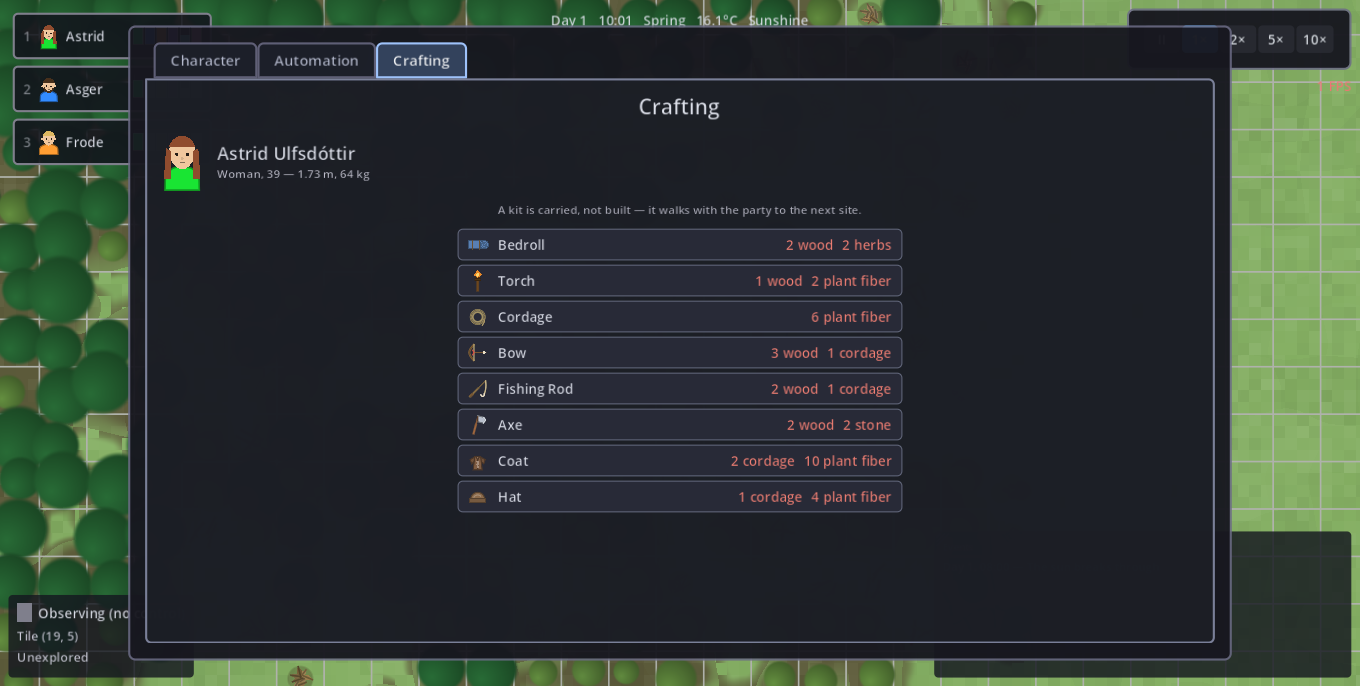
Gear is the thing that survives a migration. Three pieces exist so far — an axe, a coat and a hat — and all three are made at the crafting bench (K).
| Piece | Costs | What it does |
|---|---|---|
| Axe | 2 wood + 2 stone — needs a lumber camp standing | Chopping goes ×1.5. It multiplies with your Lumberjacking skill rather than replacing it, and it is dragged down by the same fatigue, wetness and illness as everything else — there is only ever one work speed. |
| Coat | 2 cordage + 10 plant fibre — no workshop needed | +6 °C of insulation (chest). |
| Hat | 1 cordage + 4 plant fibre — no workshop needed | +2 °C of insulation (head). |
Clothing insulates — it does not heat
Worn warmth is added to the temperature you feel, but only up to 20 °C: it can lift a freezing companion toward comfort and can never push a warm one past it. So a coat is never a liability you cannot shed — it does nothing at all in a summer desert, and a roaring fire still beats it. Wearing both is +8 °C, which is roughly the difference between a clear autumn night and a survivable one. Carrying a spare coat does not double the warmth; only the warmest piece per body slot counts.
An axe wears out, and is mended where it was made
Chopping wears the axe down — deterministically, never on a dice roll: it lasts 400 seconds of real chopping, which is about nine in-game hours of it, a full working day at the trees. The sheet's carry slot shows the condition as a percentage that runs green → red, and the break itself posts one line to the event log. A broken axe simply stops helping — you chop by hand at the ordinary speed until it is mended; nothing is lost and nothing is destroyed.
To repair it: right-click the lumber camp with the worn axe in the pack. The companion walks over, pays 1 wood — out of its own pack, or fetched from the stores like a builder's materials — and the axe is full again. Repairing is deliberately far cheaper than crafting a replacement: that is the reward for keeping the workshop standing.
Wear follows the companion, not the axe. Hand a worn axe to a mate and it is fresh in their hands; take it back and your own wear resumes. So a shared axe is not a shared supply line — don't plan one around it.
The bow and the fishing rod are still pure gates rather than gear: carrying one is what lets you shoot or fish at all, but neither speeds anything up or wears out yet.
Moving goods — the one hand
There is exactly one hand in the game, and every window fills it the same way.
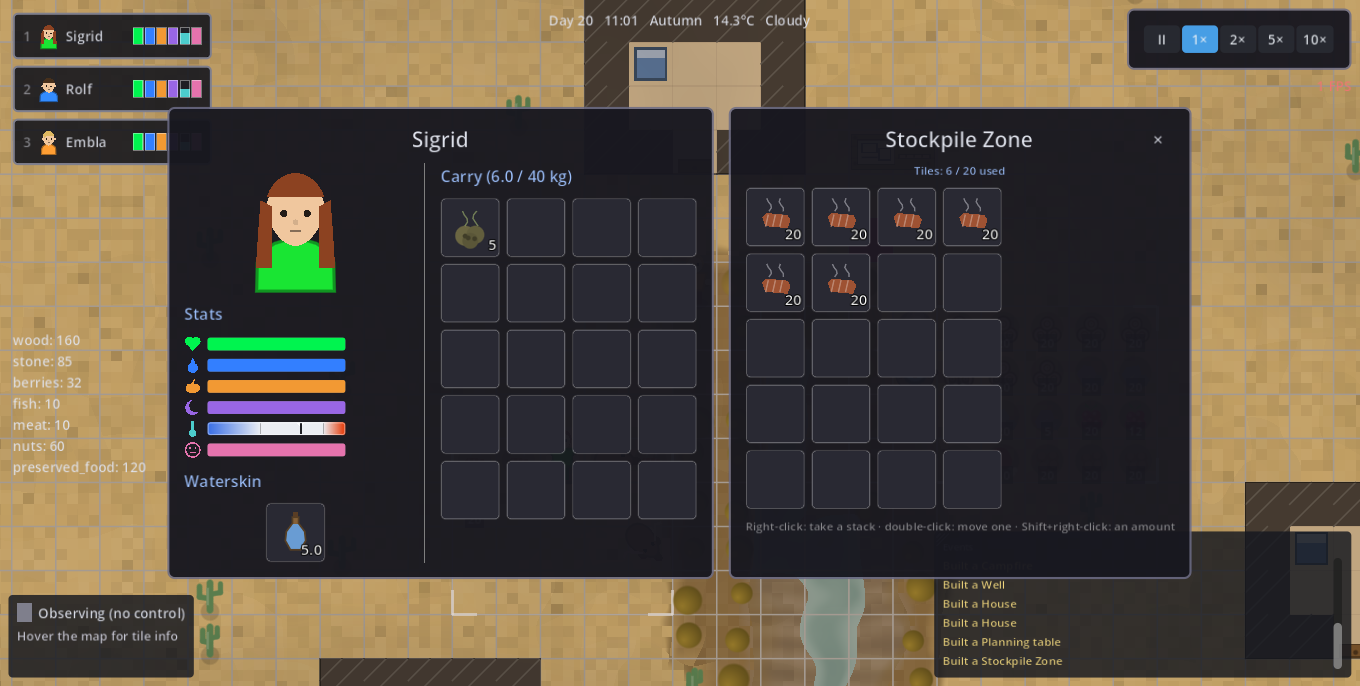
Pick a stack up in the character sheet's carry grid, in the transfer window, or straight off a stockpile tile on the map (Shift+right-click it) — it is always the same hand, so a stack can only ever be in one place. Closing a window keeps the stack in hand, which is exactly how it gets out onto the map: carry it to a construction site, a fire's hearth, a pile or a companion and left-click it down. Esc on a clear screen puts it back where it came from.
Putting something down happens at arm's length — walk the companion over first. A fire is the one exception: with fuel, raw food or untreated water in hand, left-click a fire anywhere on the map and the companion carries it over — on arrival the fire exchange window opens with your stack still in hand, so one click on a slot puts it in. Only the walk is done for you. A hearth that would refuse it (a pan already busy with another kind) says so at the click, rather than after the walk; and the window opens wherever you happen to be looking, even if you deselected that companion while it walked.
| Gesture | In the character sheet | In the transfer window |
|---|---|---|
| Right-click a slot | Take that batch in hand | Take that batch (or that pile tile's stack) in hand |
| Shift+right-click | Ask how many to take in hand | Ask how many to move to the other side |
| Double-click | Eat one unit | Move one unit across |
| Double-click the tool slot | Drink from the waterskin until thirst is full | Pour one litre of the skin into the vessel on the other side (Shift: everything in it, down to the last tenth) |
| Shift+double-click | Take the whole stack in hand — every age batch of that kind, not just the clicked slot | Move the whole stack across |
| Left-click while holding | Put it down, or swap with the clicked batch | Put it down on that side |
| Click outside the window | Drop it on the ground at the companion's feet — anybody can right-click it back up. A drink is poured out instead: a liquid does not lie in a heap. | |
Tell each stockpile what it accepts
Every pile has its own acceptance rules, set from its panel: the presets Everything, Food only, Materials and Nothing, or a tick per item kind. This is how you sort a settlement — food at the fire, wood at the building site, ore at the mason's yard.
- A hauler only walks to a pile that accepts what it is carrying. If no pile in range does, the load has nowhere to go and you get a red alert.
- Rules never touch what already lies there, and never block taking things out. Setting a pile to Nothing is therefore how you drain one: it keeps serving, stops receiving.
A pile set too narrowly is one of the quieter ways to stall the whole automation, and the panel is the only place it shows.
Every workshop keeps its own yard
A job building — fisher's hut, lumber camp, farm, mason's yard, hunting lodge — holds a store of its own beside it: 20 units of that trade's produce and nothing else (fish at the hut, logs and boards at the camp, stone and cut stone at the yard, vegetables at the farm, meat at the lodge). Left-click the building to read it.
- Produce lands there only while the worker is standing at the building. Work a tree forty tiles into the woods and it fills the pack exactly as it always did — nothing teleports home, which is a quiet argument for siting the camp where the work is.
- The goods count towards the settlement's stores: edible, spendable, haulable, and standing at the workshop counts as standing at the stores.
- But haulers never dump anything there — it is an out-tray, not a shelf, and it accepts nothing but its own trade's produce.
- One tile, one kind: twenty logs leave no room for boards until somebody clears them.
- When the yard fills — or the worker's own pack does — the shift ends and the event log says which of the two ran out, because clearing a yard and bringing a load in are different jobs. That is the normal end of a shift, not a fault. A farm ordered out of season says so too, rather than standing there mute.
Emptying it by hand. Left-click the workshop and press Open the yard: the store opens beside the pack of the companion standing at it, in the same two-column window a stockpile uses — click a row to move the whole stack, Shift+click for a single unit. Where a pile shows its editable storage rules, a yard shows the trade's fixed fence instead: it is not yours to loosen. Putting goods back in is allowed as long as they are that trade's produce — the yard does not judge whether shelving them there is clever, and they age and spoil in it like anywhere else, so a yard used as a larder is a yard that will block the work.
Or let the settlement clear it. With a Planning table standing, a workshop whose yard is over three quarters full posts Clear the yard on the task board, and any companion running the 1-block Take a task rule carries the produce to a stockpile, load by load, until the yard is empty — then the posting is withdrawn and the trade itself is claimable again, so the work goes on without you. While a yard is full, nobody takes that trade on at all: there would be nowhere to put what they made. This is the usual bargain — by hand it always works, unattended it has to be earned.
The fire exchange window
Right-click a fire with one companion selected and pick Tend fire or Boil water: the companion walks over and a window opens — its pack and waterskin on the left, the hearth's Fuel, Pan and Ready slots on the right. Nothing is loaded for you: the verb you picked only names the slot to aim at (fuel to the flame, the waterskin onto the pan), and you drop it in yourself — one click, and you decide how much. Carrying nothing that fits, the companion still walks over and the window says so in red, because "I have nothing to burn" is exactly what you went there to find out.
Everything moves by the same gestures as the transfer window, and the fire's reach is its heat radius — anywhere in its warmth counts as standing at it, so you need not be dead on top of the pit. Boiled water taken off the Ready slot goes into the waterskin, never into the pack.
| Slot | What goes in | The limit that catches people out |
|---|---|---|
| Fuel | The wood actually in the fire. Twigs count too, 3 twigs to a log | A campfire holds 4 logs and not one more — you cannot bank a night's fuel in it. One log relights a pit that has gone out; a pit still burning cannot be un-lit |
| Pan | Water to boil, or food to cook | One kind at a time. A pan boiling water cannot sear a fish — if you queue supper on it, your drinking water is not coming |
| Ready | What came off the pan | Right-click takes a cooking slot back out |
Build — press Space Space
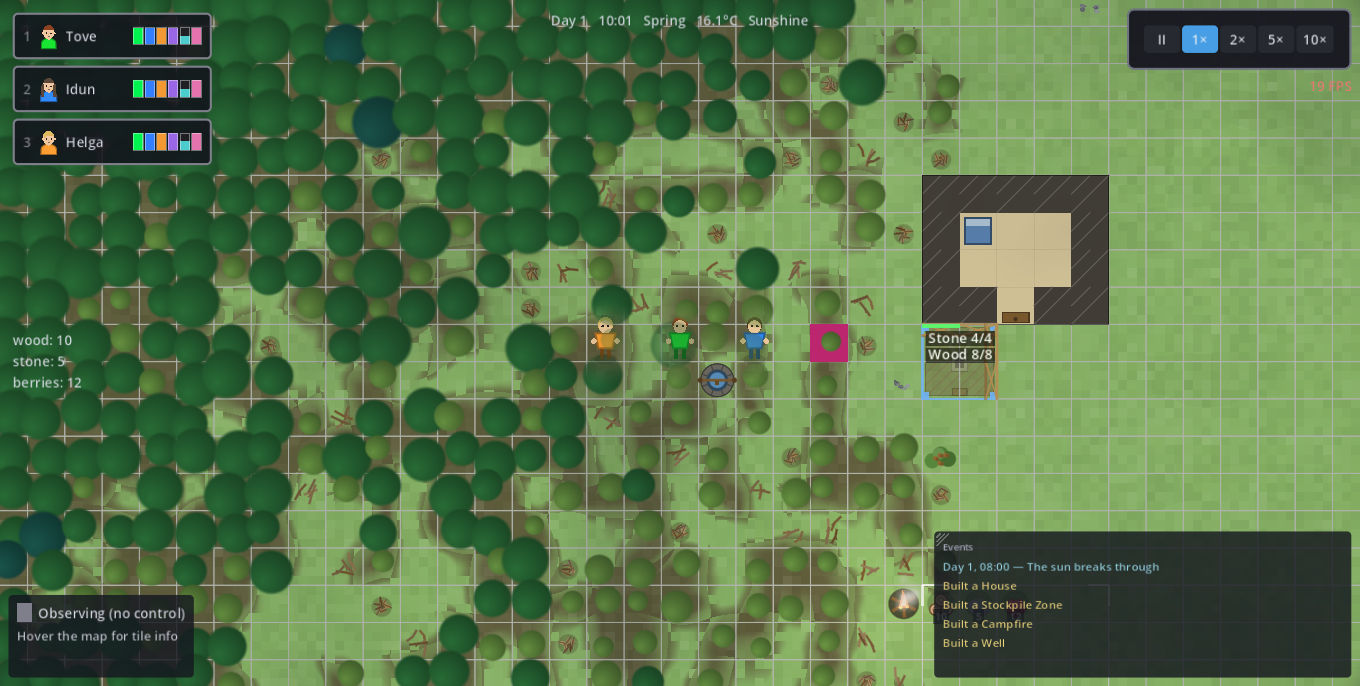
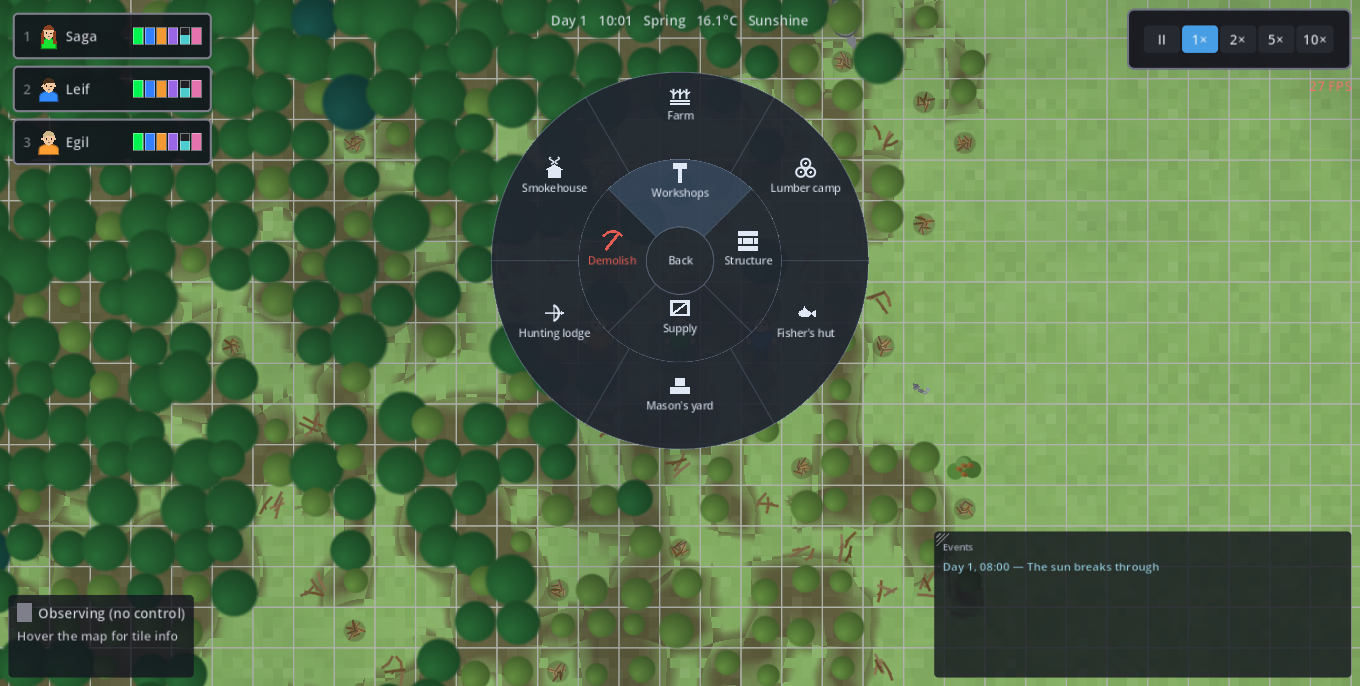
You start with nothing. Space opens the build ring (radial menu): an inner ring of categories — Workshops, Structure, Supply, Demolish — where left-clicking a category opens it in a second, outer ring. Hovering any entry spells it out in the info panel below the circle, cost per material included (green = affordable now, red = not). Place it, and every selected character goes to build it (nearest one if none selected). R rotates the ghost before placing.
The centre always goes back one ring, and closes the menu on the top level — the same thing right-click and Esc do, so there is one rule for the way out. Space closes it from any depth. Only two rings are ever drawn: opening a category replaces the outer ring rather than adding a third, so nesting is free and the circle never grows. Greyed entries come in two kinds that must not be confused — a padlock is a player goal (the workshop that unlocks it does not stand yet), a dashed outline is a planned placeholder that does not exist in the game yet.
There is no ready-made house. Every house is designed out of walls, doors and floors, and is whatever shape you enclose. Job buildings stay simply placed and the farm stays drag-to-size — a workshop is equipment, not architecture; only the home is the player's design.
Every building is drawn as the thing it is, so a settlement can be read from across the map without hovering anything: the lumber camp is a lean-to over stacked logs with a sawbuck beside it, the fisher's hut hangs its catch on a drying rack, the mason's yard is an open working yard of dressed stone, the hunting lodge pegs a hide out on its frame, the smokehouse vents its two plumes, and the planning table carries the settlement plan. The storage box and the water barrel used to be told apart by tint alone; they no longer are.
Every supply building has an action area, and outside it the building does not exist as far as automatic work is concerned:
- Campfire — 20 cells (its warmth reaches far less: 3.5)
- Well — 20 cells
- Stockpiles — 30 cells
A rule or a task that needs a fire, a well or the stores and finds none in range does not walk further — it stops and posts a red alert. That is the classic death: a companion starving beside a full larder, because the larder was 40 cells away. Your own right-click orders ignore the radius entirely and will walk any distance, which is exactly why the problem stays invisible until you automate.
So: build where the work is, and give an outpost its own stockpile zone — zones are free.
| Building | What it does | Note |
|---|---|---|
| Campfire | Warmth + hearth (fuel / cook) | 9 twigs or 3 wood (see below); action area 20; physical heat radius 3.5 |
| Well | Drink, refill skins, cool off | The only drink source workers use on their own — keeps flowing when water freezes; action area 20 |
| Bed / Stone hearth | Furniture | Not in the build ring at all — placed from the room panel |
| Straw bed / Bedroll | Furniture that also camps | The two pieces in both lists: the room panel and the Supply ring, so either can be thrown down beside the campfire before any room exists (secondary_category) |
| Wall / Door | Enclose a warm, roofed room | Walls drawn as straight chained runs; door is walkable |
| Bridge | The only way across a river | Drag a deck bank-to-bank; turns water walkable |
| Wooden Floor | Raises Mood inside a room | Ground, not furniture — beds/fires stand on it |
| Road | Walk ~35% faster along it | Ground like a floor; 1 cut stone or 1 rough stone per tile — the price, not the speed, is what keeps siting honest |
| Stockpile zone / Storage box | City stores (1 type/tile, 20 units) | Zone is free; drag out on open ground. Action area 30, and each pile takes only what its rules allow |
| Water barrel | Stores water (20 litres, clean or stale) | Winter/drought reserve; DRAW + HAUL fill it; serves the clean water first |
| Smokehouse | Cures fresh food → preserved | Doubles as a stockpile |
| Lumber camp / Fisher's hut / Mason's yard / Hunting lodge | Workshops | Each unlocks its trade for the rules (fishing and hunting also need the rod / bow in the pack). The lumber camp, mason's yard and smokehouse also carry a craft queue — see below |
| Farm | Vegetables (Farmer tends it) | Dormant in winter |
| Planning table | +6 rule blocks; copy programs; opens the task board | — |
The workshop craft queue
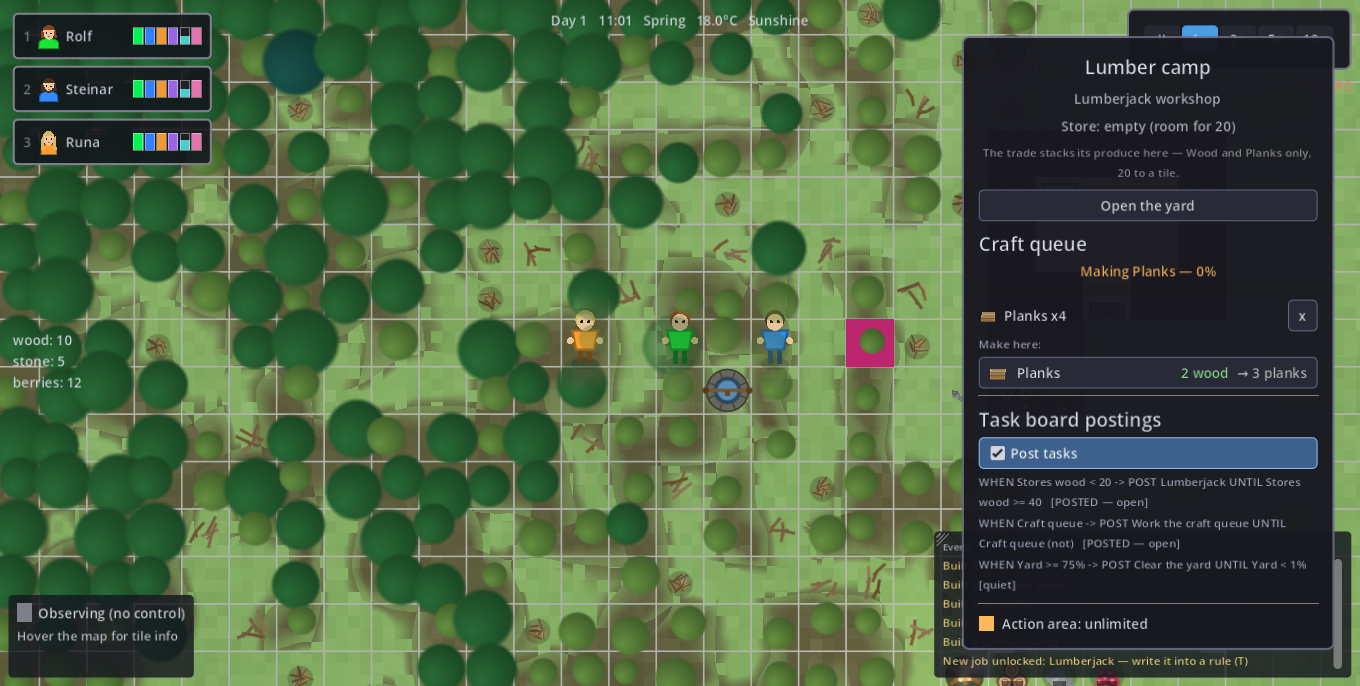
A workshop used to be a token: it unlocked a trade and posted a task, and nobody ever stood at it. Since 19.1 the lumber camp, mason's yard and smokehouse carry a craft queue — left-click one and tell it what to make.
The crafter fetches the inputs itself (its own pack first, else a trip to the stores — exactly what a builder does for its materials), works at the bench, and pockets the output. Progress belongs to the order, not to the worker: two companions at one bench stack their effort, and someone called away mid-craft loses the seconds banked and never the materials. The craft spot (the 1×1 site you pin anywhere from the Crafting tab, K) is untouched — it is still how the axe, bow, rod, bedroll, cordage, coat and hat are made.
| Recipe | Made at | Costs | What it buys |
|---|---|---|---|
| Planks | Lumber camp | 2 wood → 3 planks | Walls, doors, floors, beds and boxes for a third less wood, and lighter to haul |
| Cut stone | Mason's yard | 2 stone → 3 cut stone | Roads, wells and the stone hearth for a third less stone — what makes a long road affordable |
| Charcoal | Smokehouse | 4 wood → 2 charcoal | Burns 3× as long as its log at a third of the weight — the fuel a trek carries |
Two prices for one building. A buildable may list alternative costs — the campfire's 9 twigs or 3 wood. Twigs lie on the ground everywhere, so the first fire of a run never has to wait for a felled tree. The build ring lists both, each material coloured by what the settlement holds, with an or between them; a blueprint commits to one of them (whichever it can cover, primary first) and shows only that on the site. As long as nothing has been delivered yet it re-picks by itself, so a site that asked for wood asks for twigs the moment twigs are within reach; once the first material lands, the bill is settled in it. Demolishing refunds half of what the building was really paid for — a fire raised from kindling salvages kindling.
And two fuels for one fire. The same reasoning carries past the build: a fire that can be raised from twigs can be fed with them. A campfire burns wood or twigs, 3 twigs to the log, and the stone hearth the same way. Logs are always preferred where there are any — every fuel run shops the list in order, so the party falls back on kindling only when the woodpile is empty. Everything that feeds a fire goes through the one list: the right-click order, the REFUEL rule, a claimed task, holding E at it, the world hand and the panel's FUEL slot (which counts in logs but takes either).
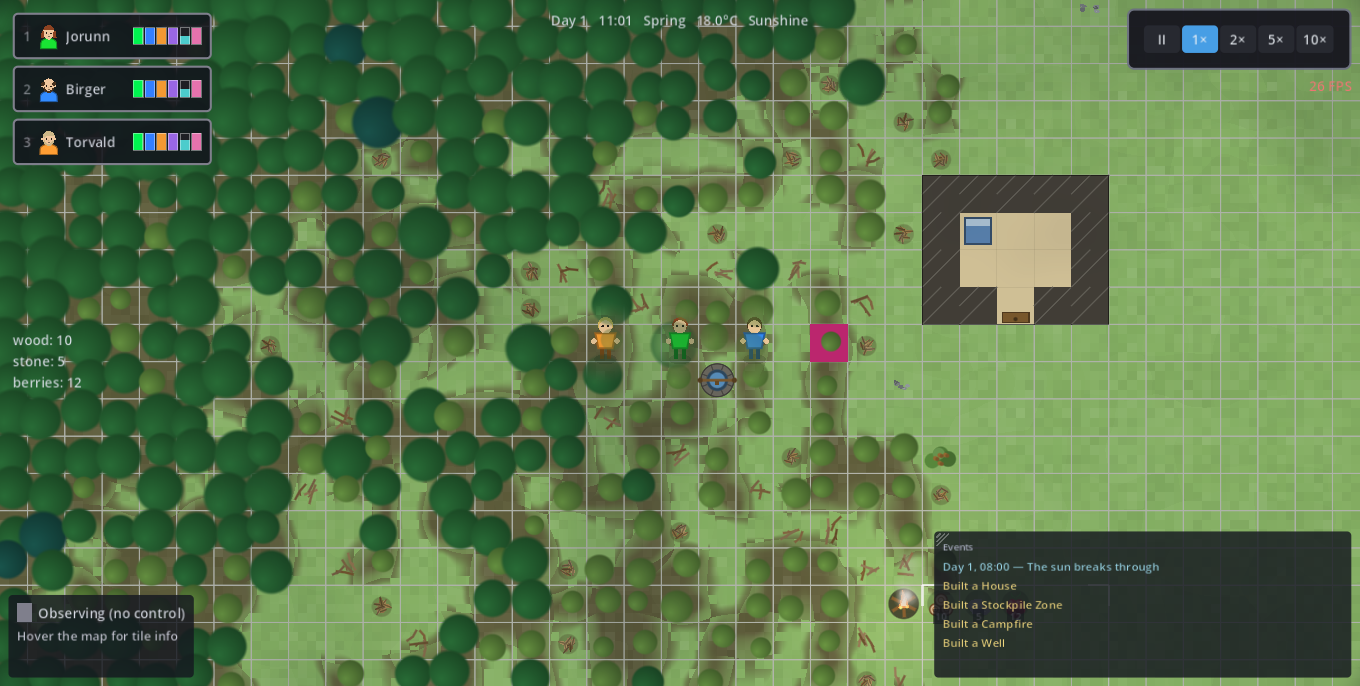
Draw walls, close a room
There is no ready-made house, so this gesture is how you get shelter. Walls are straight runs, not freehand:
- Left-click plants an anchor.
- Move the mouse and a straight run follows it — it snaps to whichever direction you have pulled furthest, so you cannot draw a diagonal by accident.
- Left-click again fixes that run and starts the next one from its end: that is how you turn a corner. Fixed runs stay put, and a corner is exactly where a door goes.
- Right-click ends the chain. Esc discards only the run you are currently dragging, never what you already fixed.
Buildings go on grass or sand only. Water and mountain refuse; a forest tile has to be felled first, and the grass it leaves behind then takes a building.
Furnish a room — left-click inside it
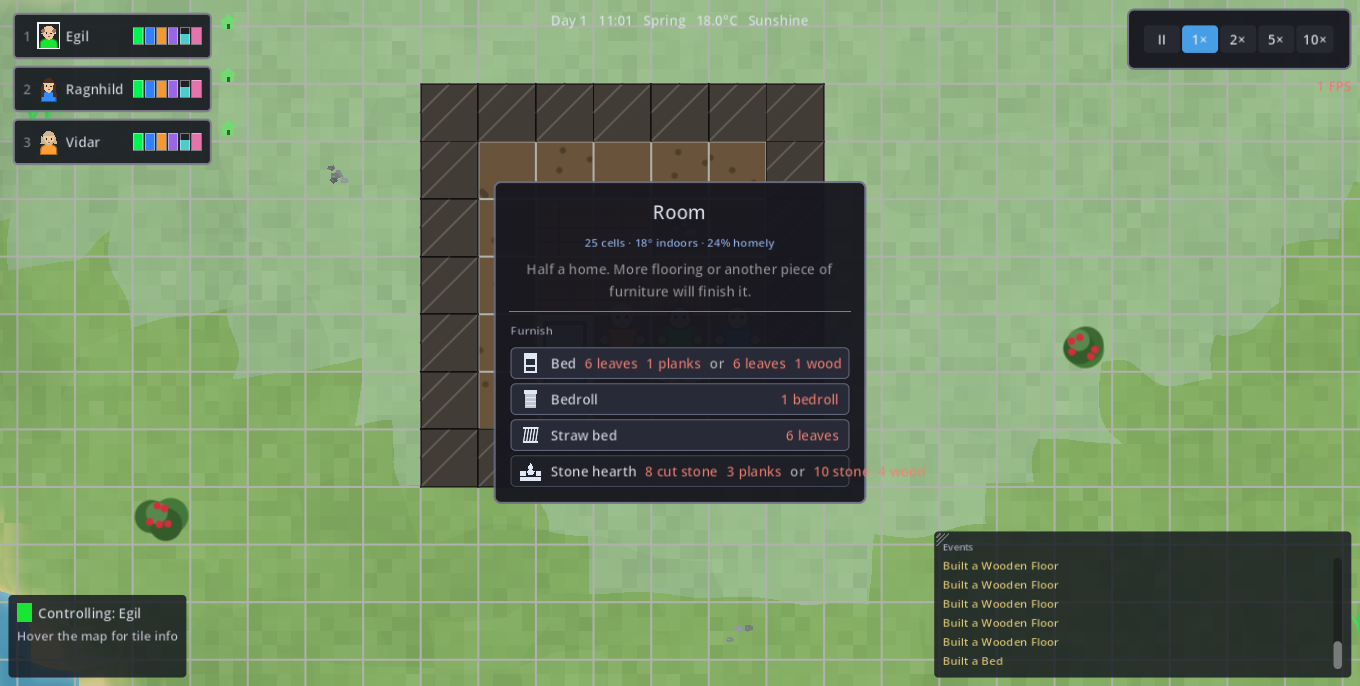
A self-designed house is not an object you can click, so the furniture panel hangs on the room: left-click any cell of an enclosed room and it opens, reading the room out (cells, shelter warmth, how homely it is) and listing the furniture that may go in it. Pick a piece and the ghost only accepts cells inside those walls — otherwise it is an ordinary construction site: builders fetch the materials and raise it. Click inside the same room again, or press Esc, to close. It resolves last of all map clicks, so anything with a panel of its own (a pile, a fire, a construction site) keeps the click.
| Piece | Cost | Labour | What it is |
|---|---|---|---|
| Bedroll | 1 carried bedroll | none (unrolled) | The bottom rung: 70% of a bed's rest rate, no shelter from the cold. Made in the crafting tab (K) and laid out from the Supply ring or a room's furniture list. It lies 1×2 (R turns it). Right-click it: Sleep, or Pick up — picking it up returns the whole roll to the pack, so it survives a migration |
| Straw bed | 6 leaves | none (instant) | A poor night's sleep — and the one piece that needs no room: it is in the Supply ring too, so it can go down beside the campfire on the first evening. Demolish-only (half refund): a thing you leave behind |
| Bed | 6 leaves + 1 wood | 14.4 s/cell = 28.8 s | The proper one: rests faster and heals while you sleep. It lies 1×2 — press R before placing to turn it across |
| Stone hearth | Stone + wood, needs a mason's yard | 10.8 s/cell | The indoor fire: a campfire's warmth, ~3× the burn per log and a wider reach. One hearth holds a house through a winter night, and it cooks like any fire |
The two beds are told apart by their labour, not by their price. Their materials are nearly identical: a straw bed goes up the instant its materials arrive, a proper bed is close to an hour of a builder's work. Helpers shorten it; the entry's tooltip quotes the time.
A room is not yet a home. Its comfort is the average over its cells of the floor laid on them and the furniture standing in them, and that comfort lifts Mood while a companion is inside — doubled while asleep. Over-furnishing simply finishes the room; it is capped, never an exploit.
Automate — press T T
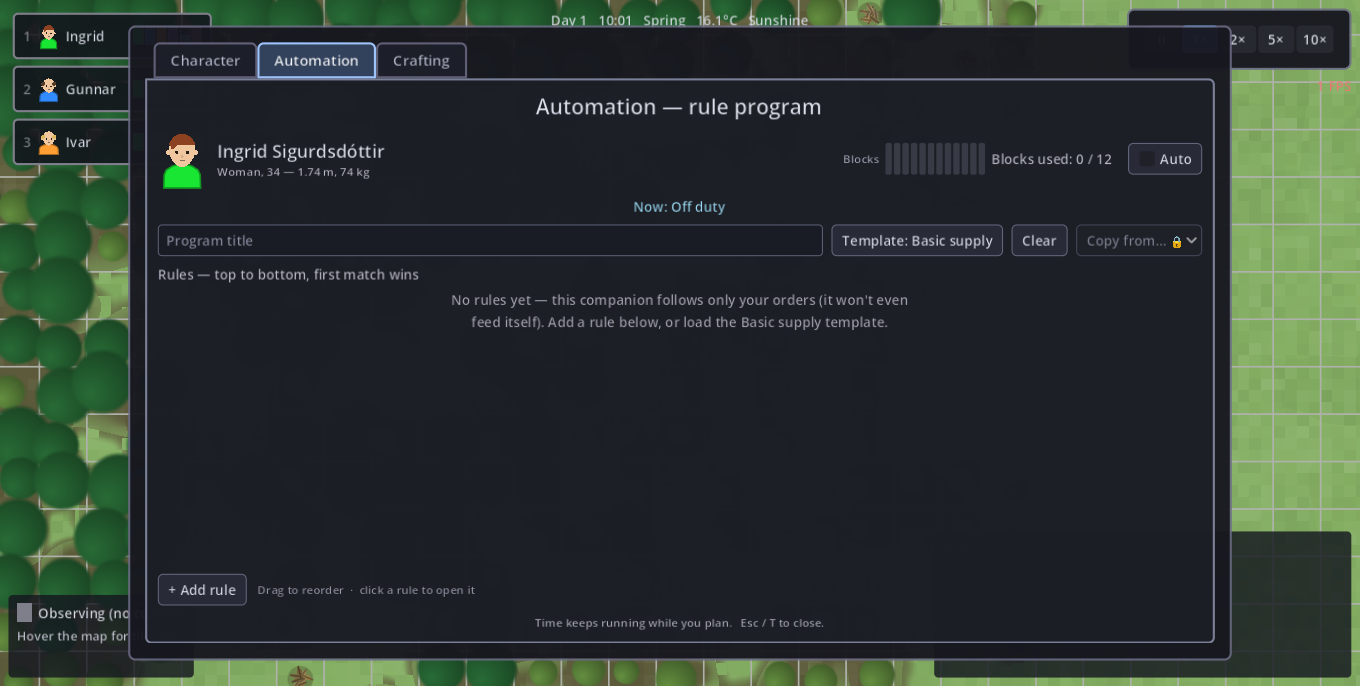
Automation is built, not switched on. Write each companion a program — an ordered list of rules reading WHEN condition(s) → DO action UNTIL release. Order is priority.
- WHEN — sensors: the body's bars (Health & Mood too), Wetness, Sickness, the clock, the season, precipitation, city stores, the own carry, the waterskin, fire fuel, a waiting site, a workshop's yard fill. Conditions AND together.
- DO — actions: the trades (fell, fish, farm, quarry, hunt), drink, eat, sleep, warm/cool, tend fires, build, draw water, boil water (carry the skin's pond water to a fire and boil it clean), haul the carry to stores, fetch items into the carry, and take a task off the task board.
- UNTIL — the latch: "fell wood UNTIL stores ≥ 60" keeps a rule going past its trigger so companions don't ping-pong at the threshold.
- Nothing happens that nobody asked for: no companion carries its load home on its own. A full pack stops the work that would fill it further (harvesting into a full pack destroys the node for nothing) and the rest of the program runs on. Bring it in by right-clicking a stockpile, with a WHEN Carry full → Haul rule, or via the task board — a task's goal sits in the city stores, so delivering is the last leg of it. Any haul keeps a ration of every food kind and of drinking water: the load goes, the lunch stays.
- Blocks are budgeted: a rule costs 1 block, +1 per extra WHEN, +1 for an UNTIL; the whole settlement shares one budget (base 12, +6 from a Planning table). Rules past the budget don't run — top rules are paid first.
The task board (needs a Planning table): buildings watch their own needs and post tasks — a fisher's hut calls for a fisher while stores hold under 20 fish, a burnt-down fire calls for tending, a fire calls for boiling while the stores hold under 10 litres of clean water (a taker draws pond water, boils it and barrels it), a workshop whose yard has filled calls for it to be cleared onto a stockpile, open sites post themselves. One 1-block Take a task rule claims the nearest posting, so a new recruit is just one more taker. Trades are earned: each work action stays locked until its workshop stands. Workers only seek what the party has already discovered. Each building's panel lists what it is posting and carries a Post tasks switch, so a single building can be told to stop asking without touching anybody's program.
Read the program while it runs
The editor is also the debugger: every line shows what it is doing right now, and time keeps passing while you read it.
| State | Meaning |
|---|---|
| ACTIVE | This is the rule being worked. |
| latched | Its trigger is over, but the UNTIL is holding it on. |
| blocked | Triggered, but it cannot run — the target or the source is missing (nothing to fell in range, no pile that takes the load). It retries every few seconds while the rules below it carry on. This is the answer to "why is she just standing there". |
| waiting | Not triggered. |
A small program that keeps somebody alive through a winter looks like this:
| WHEN | DO | UNTIL |
|---|---|---|
| Season is Winter | Fisher | — |
| Wetness ≥ 50 | Warm up | Wetness < 1 |
| Carry herbs < 2 AND Stores herbs ≥ 1 | Fetch herbs | — |
Time & world
Read the land — wind, water, coast and soil
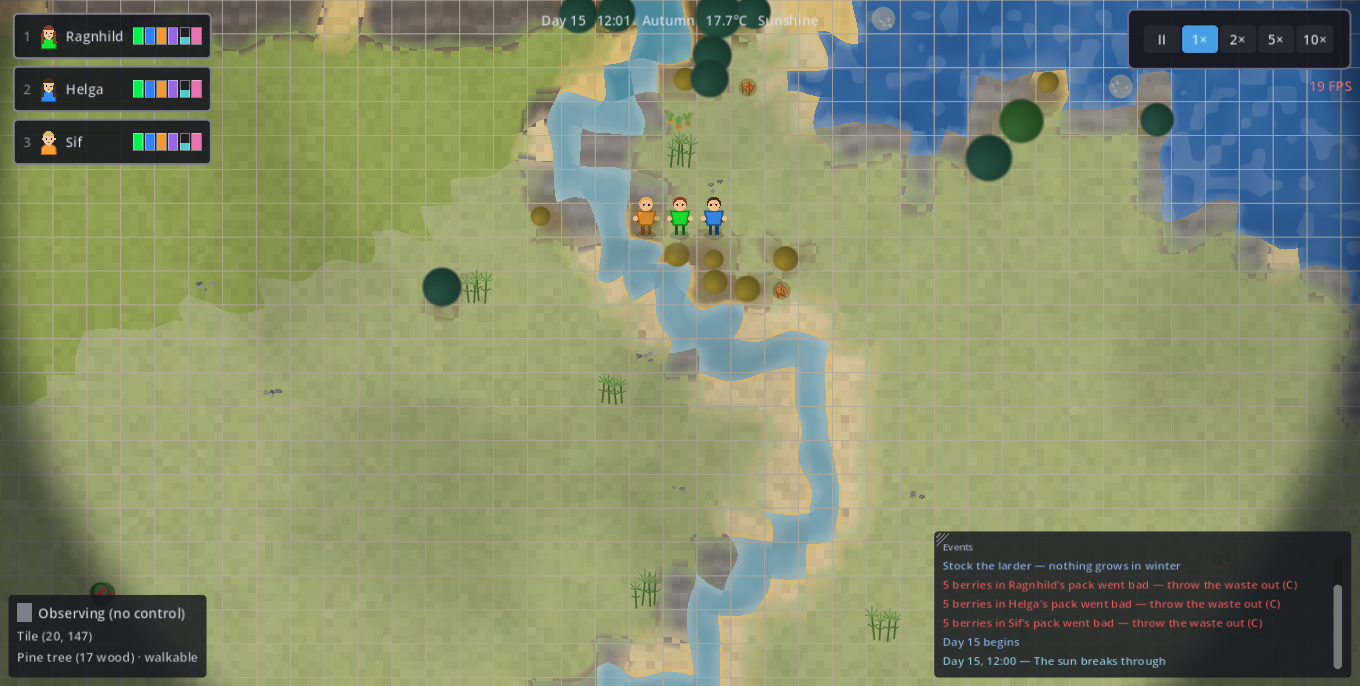
Every island has a wind, and it decides where the green is. The weather comes in off the sea from one direction, drops its rain as it climbs the high ground, and arrives on the far side wrung out. So the windward side is wooded and well watered and the far side of the high ground is dry — that is where the sand and the desert are. The direction is rolled fresh for every island, so it has to be read each run: walk up onto high ground and see which side the forest is on. There is no minimap, on purpose — this is what replaces it.
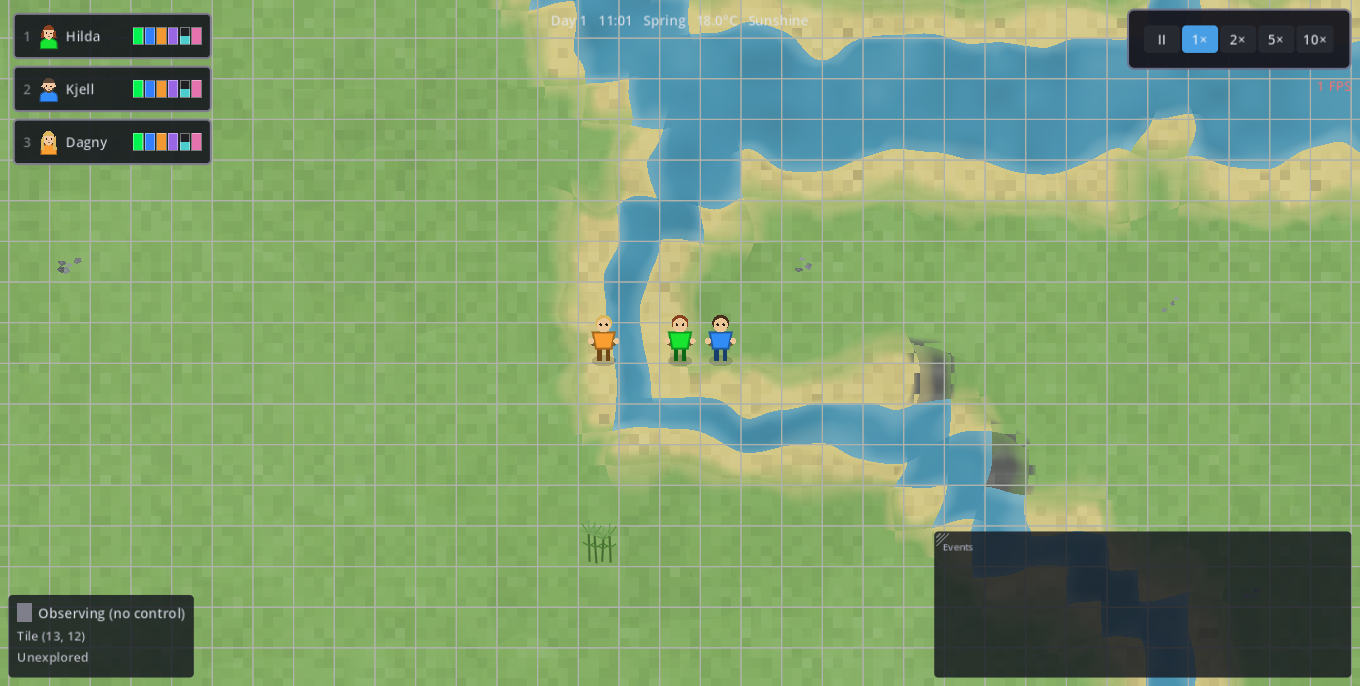
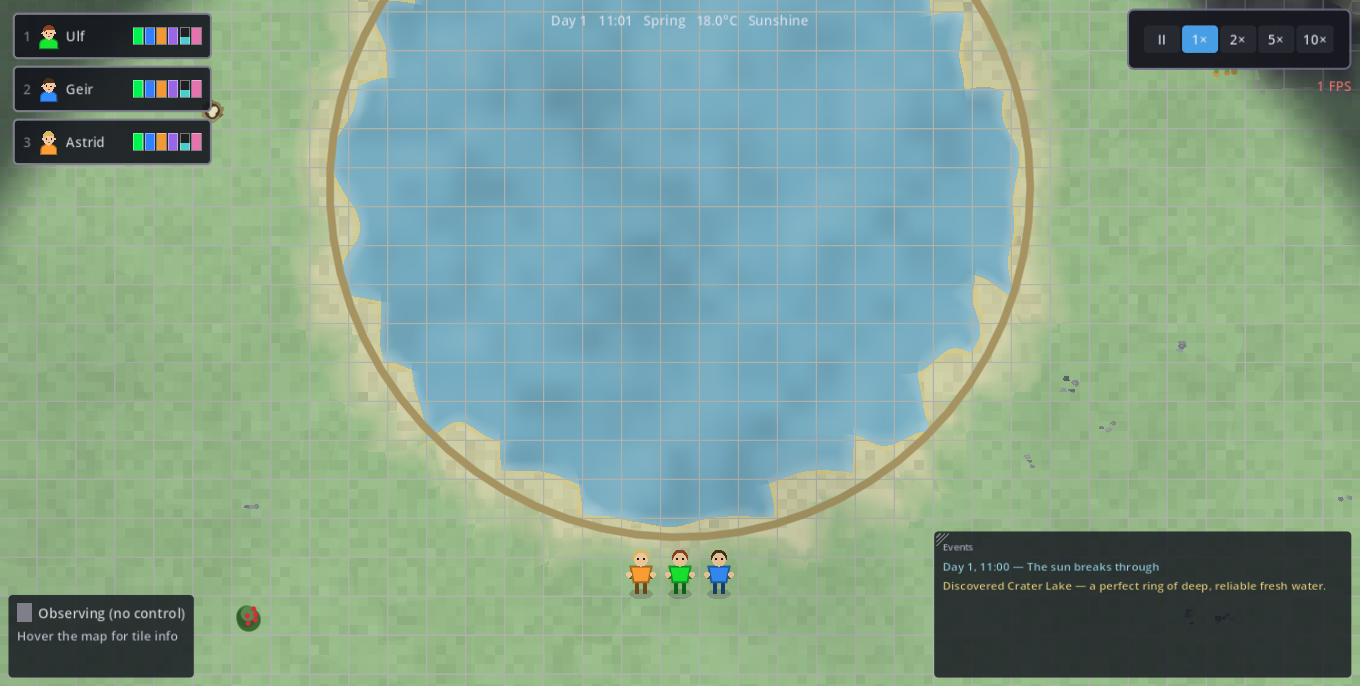
The island sheds its own water. Nothing is placed: rain runs off the high ground, threads gather into streams and streams into a few trunk rivers that widen as they go and empty into the sea, and water stands in the hollows as lakes, each with a brook draining out of it. A river is still deep and impassable — the only way across is a bridge — but where one is still a thread you can often walk around it, so following a river uphill makes the crossing cheaper.
The coast is not all the same. A beach (pale sand at the water) is open, buildable ground. A sea cliff (dark banded rock) is a wall: it cannot be climbed, built on, or come down to the water at, and about a seventh of the shoreline is cliff — so walking the coast is a real route choice. A marsh (dull grey-green, pooled with dark water) forms only where a big river empties into the sea: wadeable at little over half speed, never buildable, and rare enough — a handful of river mouths on the whole map — that the one you find is worth remembering.
Steep ground costs time everywhere. A hillside slows a companion to half pace at its worst, whether you are walking it yourself or a rule is walking it for you. A flat way round a hill often beats the short way over it.
The ground under a farm matters. Fertile bottom land is flat, wet, and has a lot of country draining through it — a floodplain. A farm there works at better than twice the pace of one on a dry slope. Hover any buildable tile and it says which you are standing on: bottom land, good soil, heavy going or barren. With water and wood, that makes three things to weigh when you pick where to settle.
Woods are thick or thin. Growth follows rain, height and steepness, so there is closed forest on the wet side, open groves inland, clearings, and a treeline above which nothing stands (and it sinks as you go north — cold means bare earlier). A tree in the wet lowland carries several times the wood of a stunted one at the treeline, and the crowns are drawn to match — so a wood worth walking to looks like one, and where a lumber camp stands is a real decision. Species follow the place too: oak in the warm wet lowlands, spruce in the cold heights, birch out at the thin edges, pine in between.
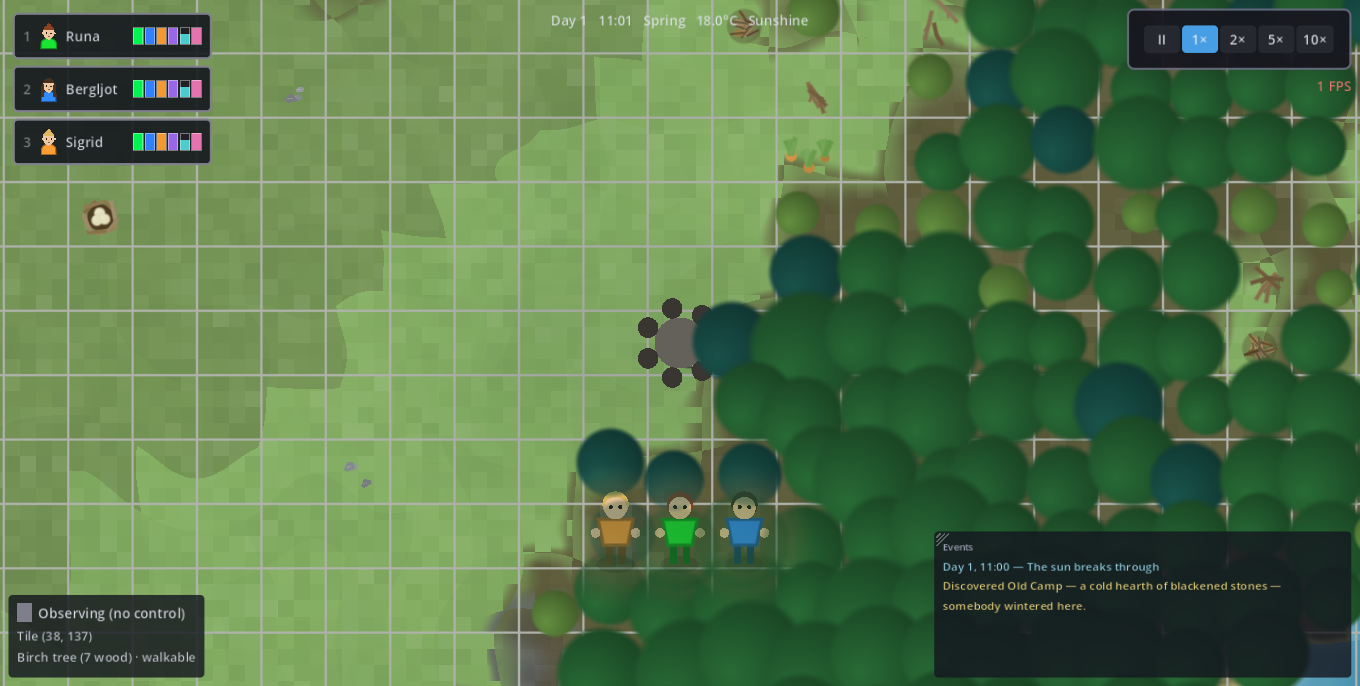
You are not the first party here. Out in the unexplored ground there are old camps — a cold ring of fire-blackened stones — and cairns stacked on the passes through the mountains. They are not scattered at random: a camp sits exactly where you would have settled, at fresh water with wood in reach, so finding one tells you the ground around it is good — and whoever left it usually left something behind on the ground to pick up. A cairn marks the one flat way through a range, which can save a long detour. Both are named the moment you see them and go into the chronicle (J).
Day/night and seasons pass; the clock, temperature (°C) and weather sit top-centre. Speed controls (or -/.) run pause / 1× / 2× / 5× / 10×.
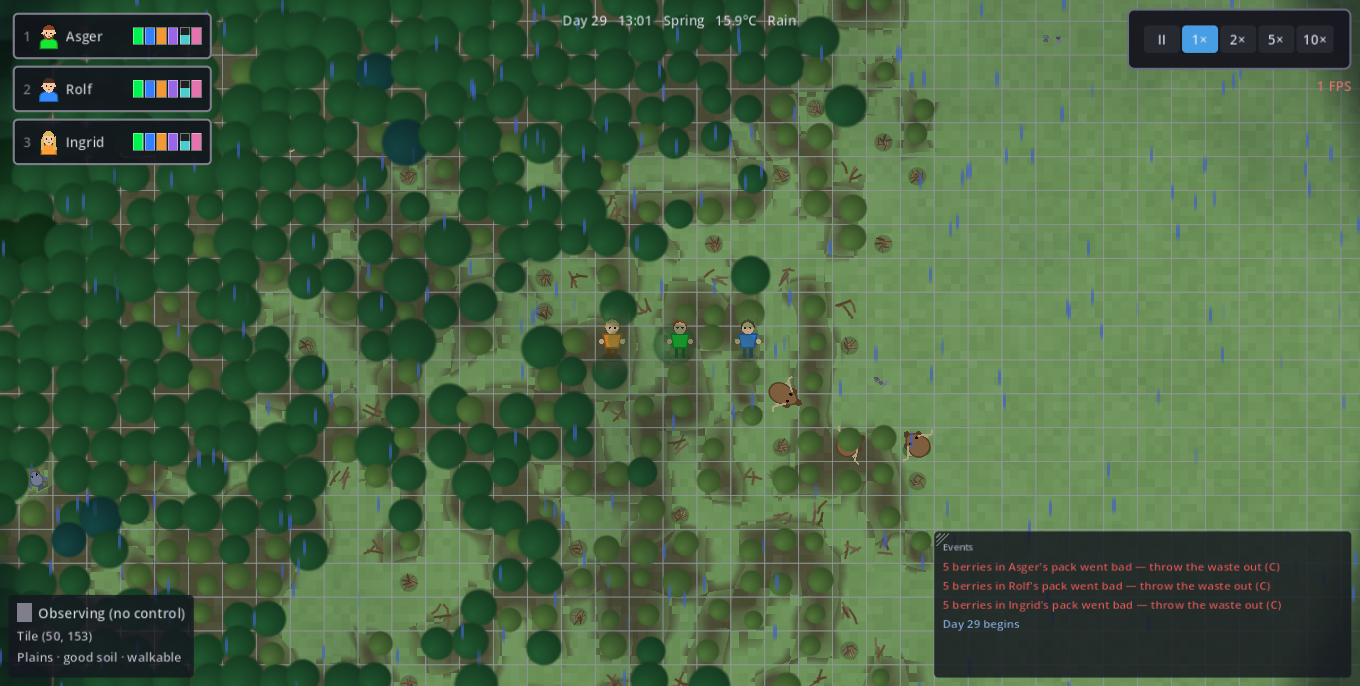
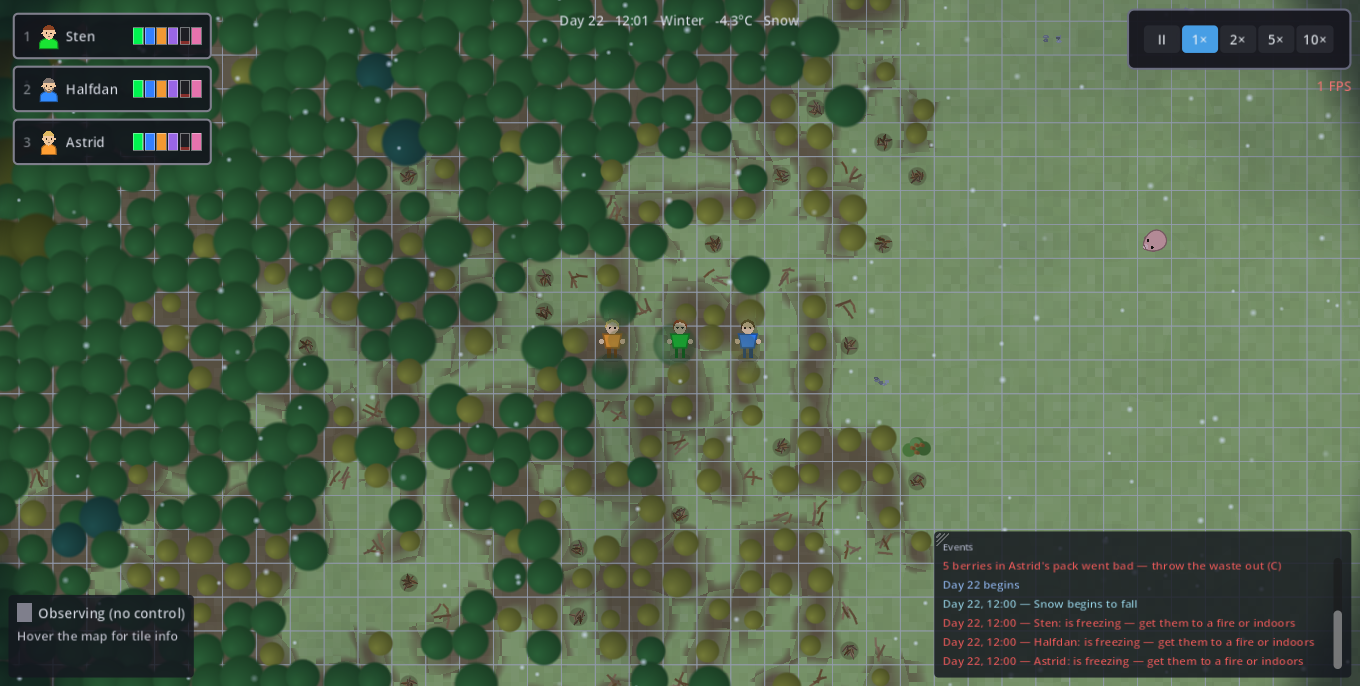
Weather follows the seasons — sunshine, cloud, rain, hail, summer drought, winter snow. Hail hurts (bleeds Health in the open; only a roof or forest canopy stops it). Rain soaks (wet = up to 30% colder). Wet clothes dry fastest at a campfire or under a roof (~4 in-game hours from soaked through) — and out in the open as fast as the sky allows: ~10 h under warm sunshine, about a third of that pace when overcast, and nothing at all in cold air or while rain, snow or hail falls. A summer soaking dries itself while the work goes on; a winter one waits for a fire. In deep winter rivers and lakes freeze (wells keep serving); a summer drought dries small ponds until the next rain.
Water has a quality as well as a salinity. Water that stands — a lake, a pond — is still water: drinkable, and every gulp builds the drinker's dysentery load — nothing on its own, but the pond you keep going back to breaks out as the illness. Running water is clean, and so are wells and hot springs. A lake stays still water even though a brook drains it: what matters is that the water sits, not where it eventually goes — so follow the outflow a little way downhill and you are drinking from a stream instead. A waterskin filled at a lake carries pond water with it until it is drunk dry. Choosing between a lakeside site and a river (or a well) is the point.
The cure is a fire. Right-click one and pick Boil water: with one companion selected it walks over and the fire exchange window opens on the hearth — pour the waterskin onto the Pan yourself, and take the clean water back from the Ready slot (it goes into the skin). With a group selected the unattended order runs instead: it pours, waits and collects by itself, and empty-handed simply collects what is already boiling. By hand it works too: right-click the tool slot in the character sheet (C) to pour the skin into your hand, then set it down on a fire (the whole skinful goes in), on a barrel, or on another companion to fill their skin.
Boiling costs time, and that is deliberate. A full waterskin — 5.0 litres, which is exactly what the pan holds — takes one in-game hour on a campfire; a stone hearth is three times faster at everything it cooks. The pan boils unattended while the fire burns, so you load it and walk away. A companion drinks 2–3 litres a day, so one fire keeps a small party in clean water and no more — and it cannot sear fish while it boils. Boiling is the stopgap at a pond; a river or a well is the answer.
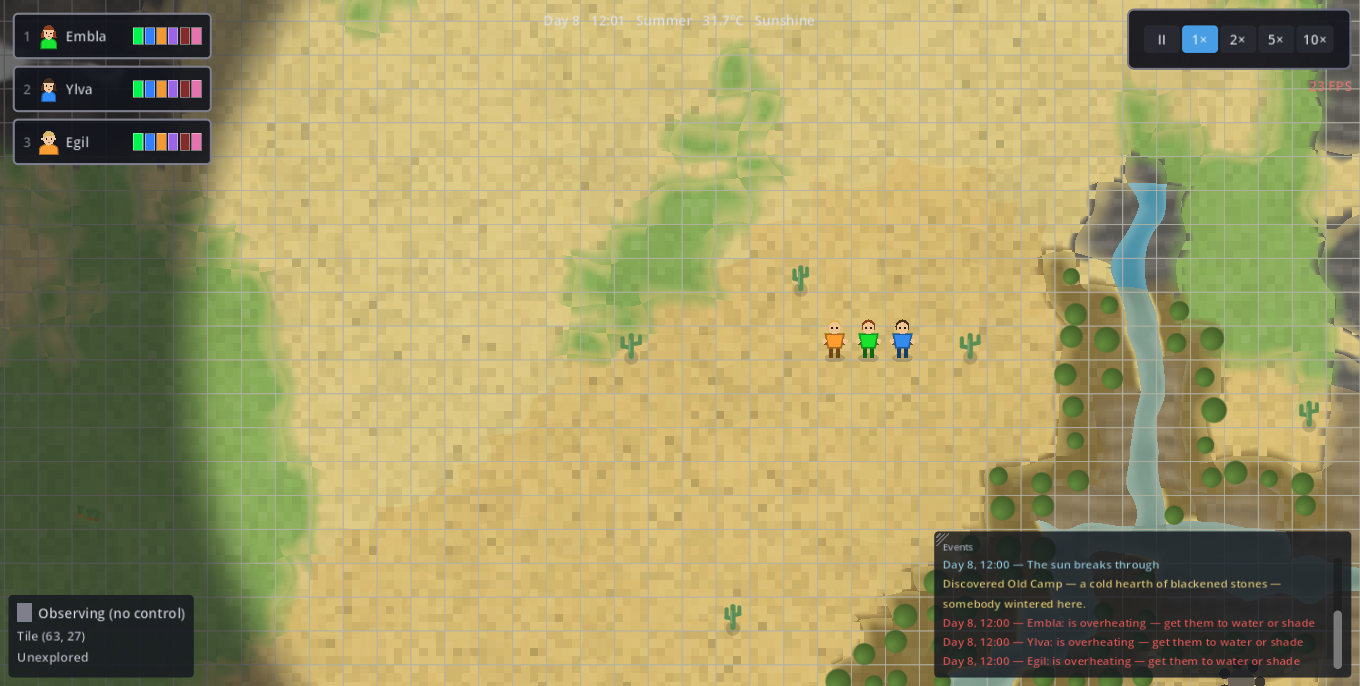
The land itself has a climate. Most of the island is temperate, but three kinds of country are not: tundra (−10°C) on the high northern fringe, desert (+8°C) in the dry south, and swamp (soaks you like rain, and a fire can't dry you while you stand in it). The seasons turn both extremes inside out — knowing which half of the year a country is survivable in is worth more than avoiding it.
Caves bring a light
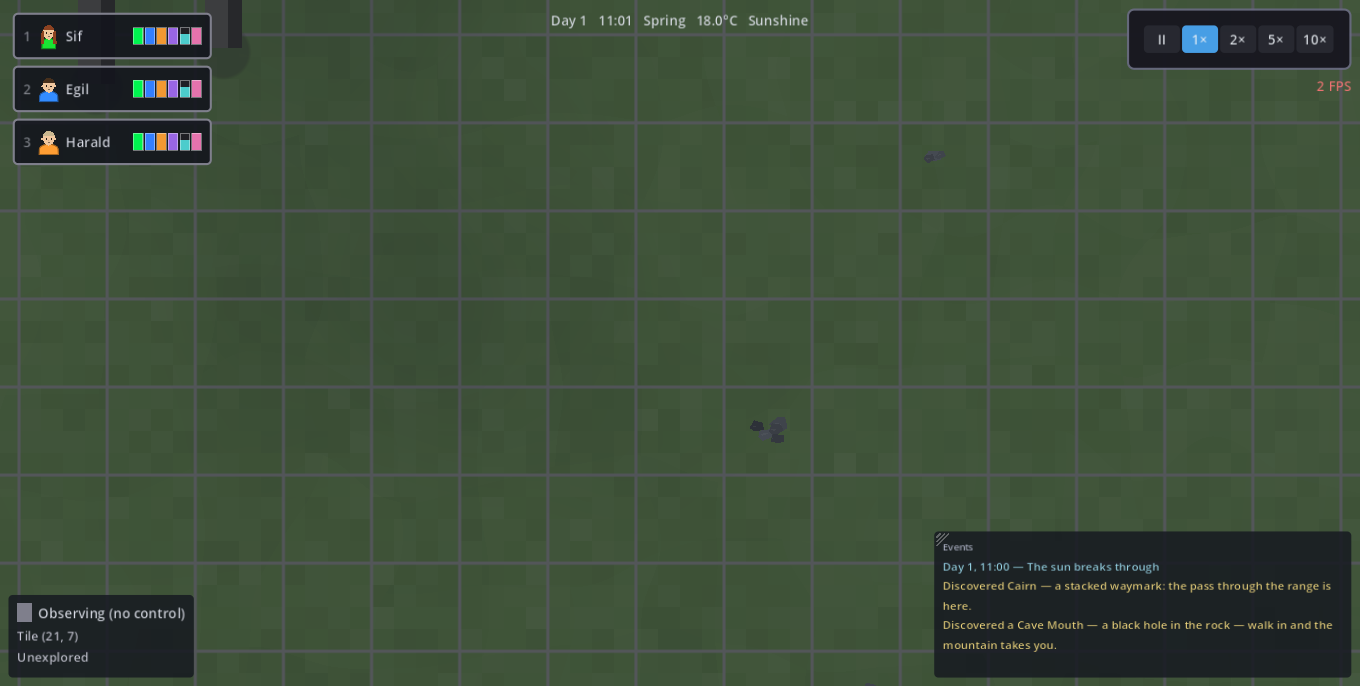
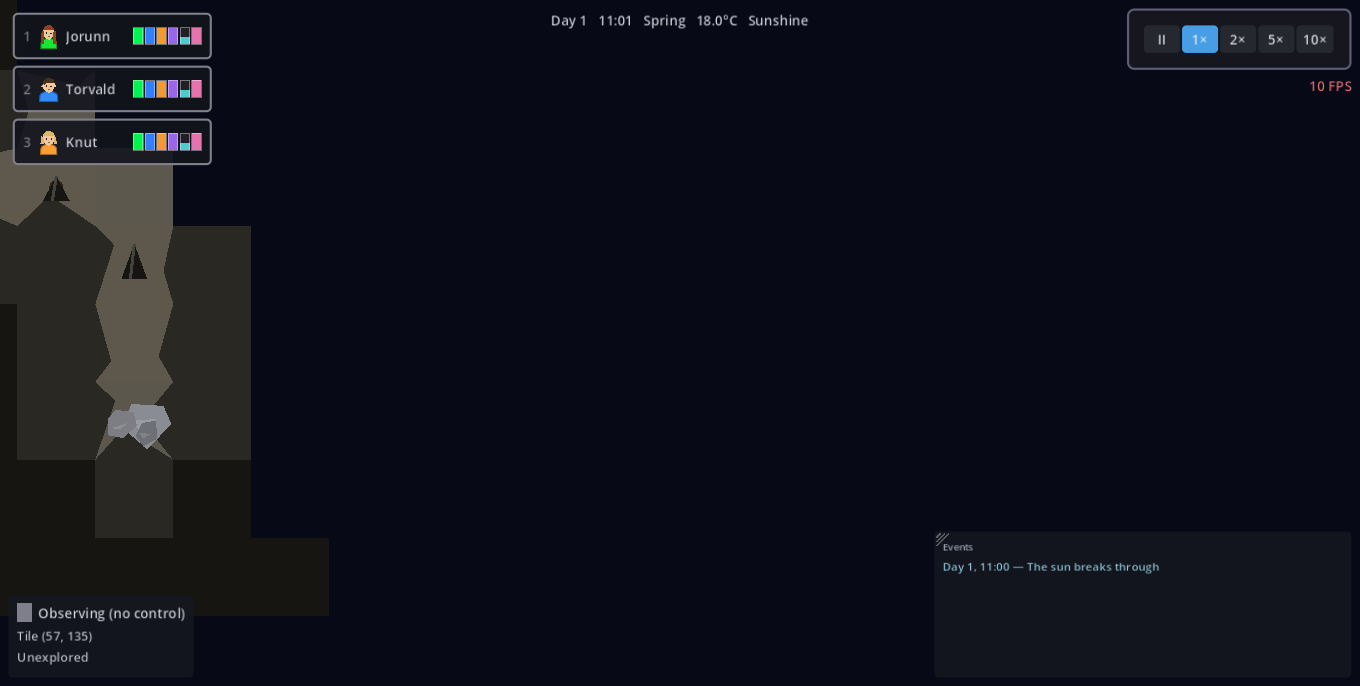
Mountains are not only a wall to walk around: search a mountainside for a cave mouth — a dark hole with a pale lip of broken stone and rubble spilled out below it. Right-click it, or walk onto it, and the party goes in; every rock cell touching the opening counts, corners included, so a near miss cannot set anyone mining the doorframe. Inside is a map of its own, and the way back is an arch of daylight in the wall. The world above keeps running the whole time — clock, weather, animals, everyone you left up there — so a scout can go down while the rest of the party works.
| What a cave is | What it means |
|---|---|
| Pitch dark | You see barely two steps ahead down there (against twenty in the open). Craft a torch first — Crafting tab (K), 1 wood + 2 plant fibre — and carrying it gives seven cells back. Without one you explore blind. |
| Sheltered | Rock roofs you: rain, snow and hail cannot reach, and wet clothes dry as they would under any roof. |
| A constant 8 °C | Underground replaces the sky — no season, no weather, no night. A refuge from a −15 °C winter night and from a 42 °C desert afternoon. |
| Ground you can build on | A cave floor takes a campfire, a stone hearth, a torch, a bed, a straw bed, a bedroll, a storage box, a water barrel, a planning table, planks, road — and stockpiles, so a cave becomes a real base rather than only a place to sleep. Dropped stacks stay put on it too. What will not go underground are the things the rock has made pointless: houses, farms and wall runs. The way out is never built over. |
The mountain tells you how big the cave is — a lone rocky knuckle holds a fissure you cross in a few dozen steps, a proper range a warren, a gallery or a pillared hall. Size the massif up from outside before you spend a torch on it. Mushrooms and stone wait deep inside, always a good walk from the entrance, so a cave pays only the party that explores it properly. Nothing lives down there; the danger is the dark and the walk home.
Some caves hold water — a still pool of seeped snowmelt, drunk from or filled at like any river. Because rock has no weather it never freezes and never dries up, which can make a known cave the most reliable water on the map in exactly the seasons that close everything else. It is standing water, so boil it. Wet ground above means more of it: swamp mountains are wettest, desert caves bone dry.
Rule programs keep running underground. A companion you send into a cave still follows its plan, and when a rule wants something the cave has not got — a drink, a meal, the stockpile — it walks out through the mouth by itself, does the errand up top, and is free to be sent back down. You never have to fetch anyone out by hand.
And a cave counts as part of the settlement it opens into. Whatever you carry inside stays reachable from outside: a builder working at the mouth fetches timber from a stockpile you laid down in the cave, a tired companion claims a bed you unrolled in there, and a thirsty one walks in to a pool it has already seen rather than trekking to the river. The rule is simply that a cave is as far away as the walk into it — the mouth, plus however many steps deep the thing sits. So a pile just inside the entrance is practically next door, and one at the far end of a rambling warren is a real errand nobody will make automatically. Put your stores near the mouth if the camp outside is meant to use them. Only what the party has actually seen counts: an unexplored cave offers nothing, and neither does a pool in a corner you have never lit.
Interface & keys
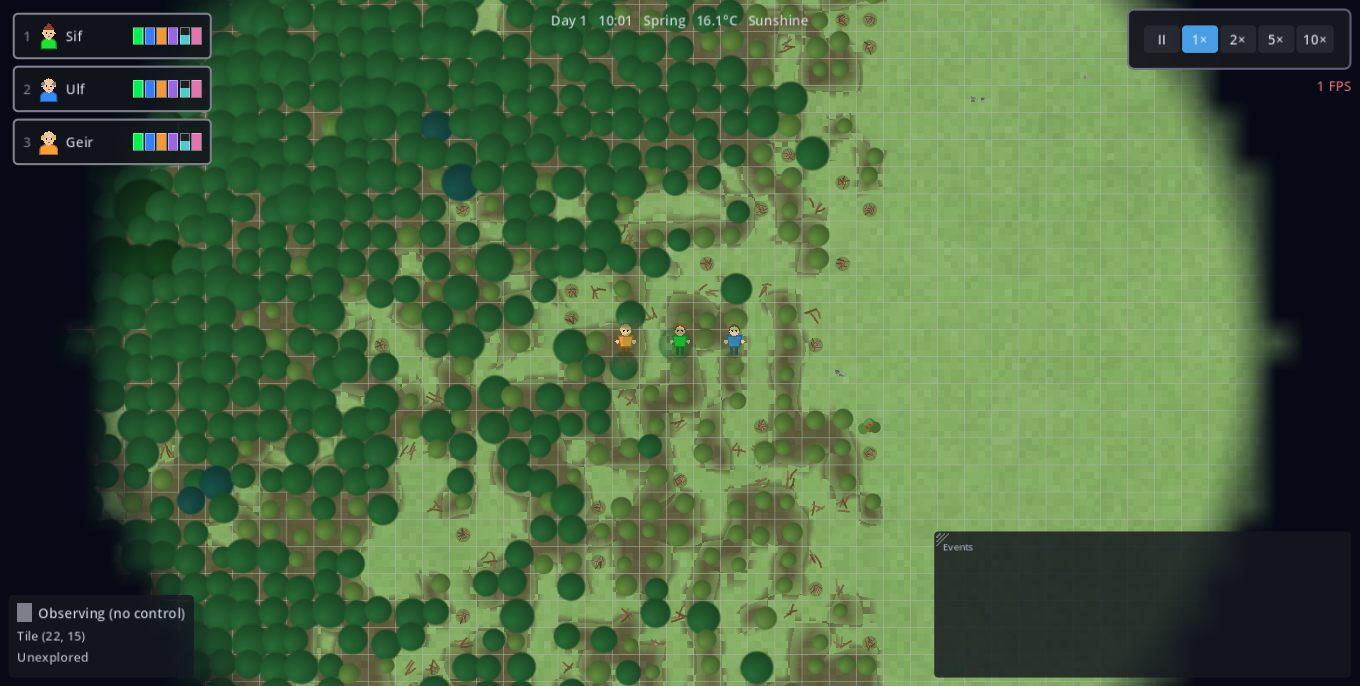
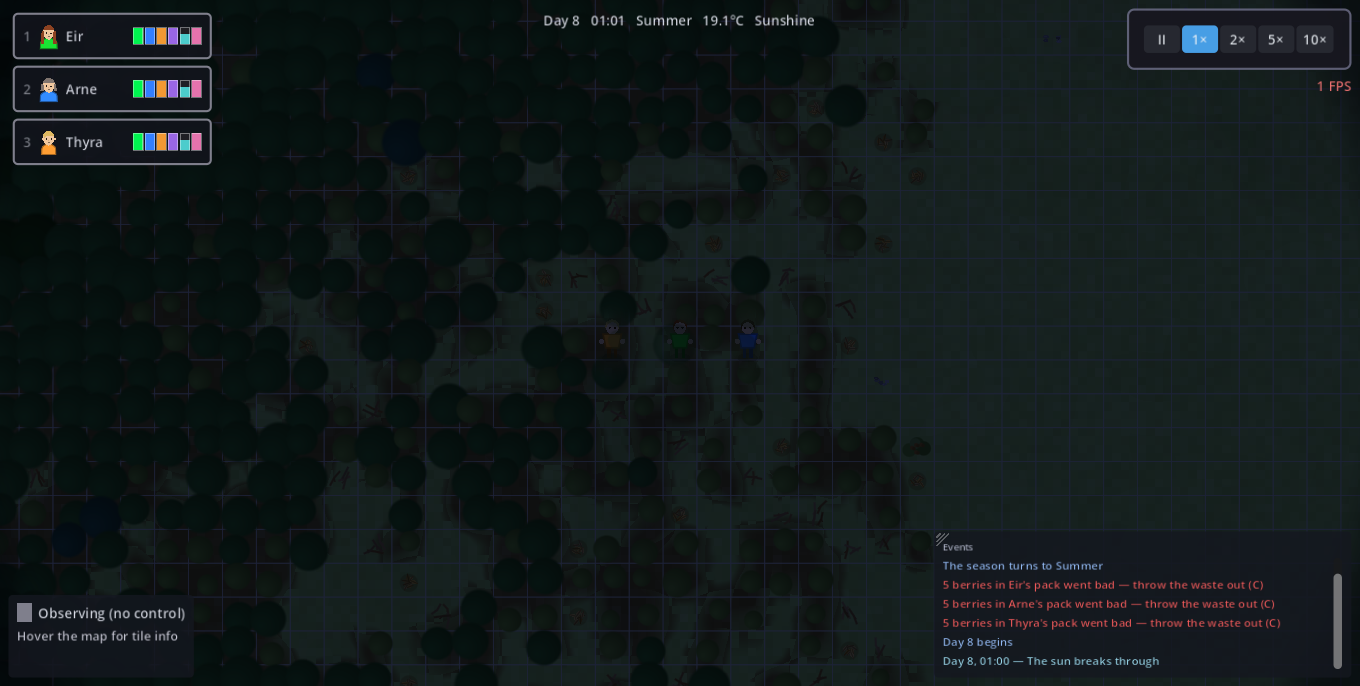
The companion window holds everything you do to one companion, as three tabs — each key opens its own tab (press again to close; Ctrl+Tab walks the tabs). All three are about the companion you're steering.
| Key | Action | Key | Action |
|---|---|---|---|
| C | Character tab (stats, skills, carry) | Space | Build ring (radial menu) |
| T | Automation tab (rules) | Tab | Next companion (+camera) |
| K | Crafting tab (bedroll, cordage, bow, rod, axe, coat, hat) | 1–0 | Select companion (twice = camera) |
| E | Gather (hold) | H | Aim & shoot (bow, hold) |
| F | Centre camera on selection | M | Widest zoom |
| G | Toggle fog (debug) | - / . | Game speed up / down |
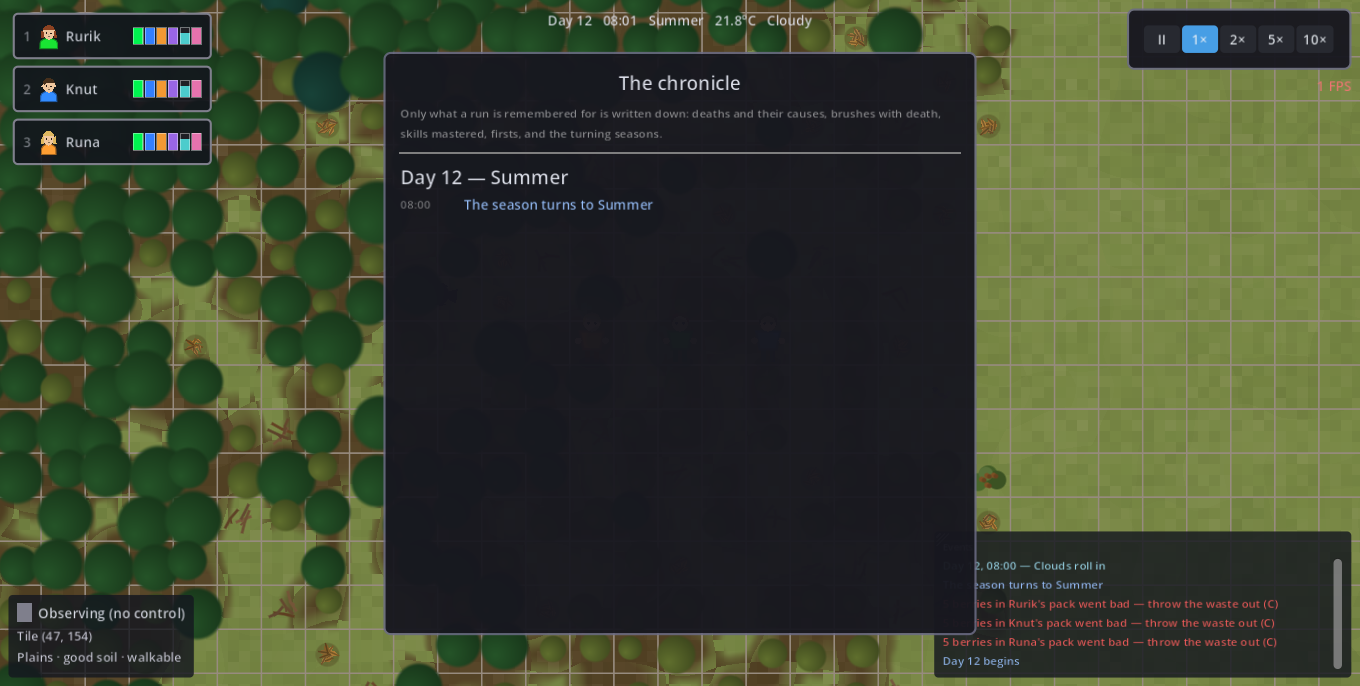
| J | Chronicle (saved history) | F1 | Help |
| F5 / F9 | Save / load slot | Esc | Close open window, else pause/settings |
| F12 | Dev console (debug builds) | Rebind everything in Esc → Settings | |
Only one window is ever open. Opening any of them — the companion window, a building, pile, site or room panel, the transfer window, the build ring, help, the chronicle — closes the one before it, so nothing overlaps. A stack in hand survives the switch: it is only ever put down where you put it down.
The event log — and the red alerts
Bottom right, a live feed of what the settlement is doing: arrivals and deaths, buildings raised, illnesses, level-ups, the traces a false companion leaves, season turns. Drag it by its top-left corner to move it.
A worker that cannot work says so, too. No tree in reach, no rock face, no farm, no water to draw, no bow or rod in the pack — the companion posts one red line naming the reason and stops, rather than standing there looking busy. It comes once per reason, so a new problem is never buried under a repeat. A farm in winter stays quiet on purpose: dormant fields are the rule working, not a failure.
How much it says is up to you: Esc → Settings → Gameplay offers Everything, Only what matters and Fewer. Verbosity only filters the live feed — the chronicle (J) always keeps the full history.
Difficulty & saving
Difficulty is chosen on the title screen, per run, and it decides what a mistake costs.
| Hard | Brutal | |
|---|---|---|
| Saving | Save and load freely | Permadeath — the game saves itself, and Continue resumes exactly where you left off. The save suspends a session; it never undoes a death |
| It saves | When you do (F5) | On an interval, at every dusk, on every death, in danger, on pausing and on quitting |
| Rule editor | Pauses the game while open | Time keeps running while you plan |
Each run gets its own named slot: the Esc menu names, overwrites and deletes them, the title screen loads any of them. The autosave interval is in Esc → Settings → Gameplay.
While the prototype is being tested, manual saving is left enabled on Brutal too.
Settings worth knowing about
Esc → Settings, four pages. The ones players actually miss:
- Gameplay — event-log verbosity, autosave interval, edge-scroll speed and border width (0 switches edge scrolling off).
- Graphics — resolution, window mode, anti-aliasing, quality, the FPS readout, and the scale of the whole interface.
- Sound — the volumes.
- Keys — every binding above can be reassigned.
Architecture & conventions
Engine, layout, and the ground rules the codebase holds itself to.
- Engine: Godot 4.x, 2D top-down. GDScript only (no C#).
- Language: all identifiers, comments, node/scene names in English — no German anywhere in code or the scene tree.
- Naming:
snake_casefor vars/funcs/signals/files;PascalCasefor classes/nodes/scenes;class_namefor reusable scripts. - Data-driven: tunables live in
.tresResources (resources_data/) and@exportvars — not magic numbers. Numbers should be tunable without touching code. - Decoupling: cross-cutting state lives in autoload singletons; systems talk through signals where it decouples them.
- A freed object compares
== nullas TRUE. Sonode != nullshort-circuits and never catches a freed one —is_instance_valid()is the only safe test. Any registry that outlives a scene teardown (cells → nodes, caches) must prune or skip stale entries with it.
| Path | Holds |
|---|---|
| scripts/autoload/ | Singletons (managers, world & save state) |
| scripts/player/ | Companion rig: stats, skills, controllers, jobs, automation |
| scripts/world/ | Worldgen, terrain/biome/landmark, renderers, camera, weather, fog |
| scripts/resources/ | Resource nodes, animals, harvest cycle |
| scripts/buildings/ | Buildable, build controller, sites, stockpile inventory |
| scripts/items/ | Item catalog, item graphics, ground items |
| scripts/ui/ | HUD, panels, dev console, settings, screens |
| resources_data/ | All .tres configs: buildings, animals, resources, stats, skills, palette, theme |
| tests/ | Headless suite + benches + the screenshot harness |
Autoload map
The singletons every system reaches. Persistent autoloads must reset in
WorldGenerator._ready (a reload doesn't re-instantiate them).
| Autoload | Owns | File |
|---|---|---|
GridManager | Cell↔world math, occupancy grid | autoload/grid_manager.gd |
TerrainManager | Per-cell terrain / biome / landmark layers, walkability, water bodies, climate | autoload/terrain_manager.gd |
TimeManager | time_of_day, day, season; ambient temperature; rollover signals | autoload/time_manager.gd |
TimeWarpManager | Pause / 1–10× via Engine.time_scale | autoload/time_warp_manager.gd |
WeatherManager | Season-weighted weather spells, snow cover | autoload/weather_manager.gd |
FogManager | Three-state per-cell visibility | autoload/fog_manager.gd |
PartyManager | Members, selection, embodiment. The drag box is drawn by world/tile_inspector.gd at z_index 110 — above the cave floor (z 2), the fog and the darkness (z 100). It sat at the default 0 until 2026-07-26 and was invisible in every cave while the hit test, being pure geometry, went on selecting. | autoload/party_manager.gd |
BuildingManager | Placement, sites, rooms, action-area serving, water bodies | autoload/building_manager.gd |
CityInventory | Aggregate facade over all stockpile tiles | autoload/city_inventory.gd |
AnimalManager | Running population tallies, capacities | autoload/animal_manager.gd |
TaskBoard | Building-posted tasks (11.6) | autoload/task_board.gd |
SaveManager | Named save slots, migration seams | autoload/save_manager.gd |
EventLog / Chronicle | Live feed / saved history | autoload/event_log.gd, chronicle.gd |
SoundManager | Zoom-gated positional audio, UI clicks | autoload/sound_manager.gd |
KeybindManager / GraphicsManager / GameState / ResourceManager / GroundItemManager | Input, graphics prefs, run state, resource registry, dropped stacks | autoload/… |
World generation & terrain
WorldGenerator.generate() builds the world.
TerrainManager.is_walkable(cell) is THE passability seam (nav bake, collision,
standability, rooms all read it — a bridge's set_walkable_override opens a crossing
for all of them). TerrainManager.climate_offset_at(cell) is THE climate seam.
TerrainManager.is_drinkable_water() is THE drink seam; is_fresh_water()
is salinity only; is_still_water() is THE quality seam (7.5 — a cell the generator
marked STANDING, or a body that reaches no sea), and
IllnessController.wear_bad_water() is the one place an untreated drink is billed.
Since the terrain pitch (2026-08-04) three more: TerrainManager.height_at /
slope_at / altitude_at (the height field every later pass reads),
rain_at (how wet a place is, as a RANK) and fertility_at (how well it
farms, likewise a rank).A cell has five orthogonal per-cell layers: terrain (what it physically is — world/terrain_types.gd: PLAINS/WATER/FOREST/MOUNTAIN/SAND/SHALLOW plus CLIFF and MARSH, the coast's own sorts), biome (its climate — world/biome_types.gd: temperate/tundra/swamp/desert, grown as one region each), landmark (world/landmark_types.gd: crater lake / hot springs / standing stones, and the traces somebody left — old camp / cairn), cave (world/cave_types.gd: where a cave opens — its mouth; the rooms behind it are their own map), and height (world/height_layer.gd: elevation, slope, rainfall and soil fertility — the physical field and what is derived from it per cell).
_classify always computed a height field, used it for three thresholds and
threw it away. Keeping it is what every later pass is built on, and each of them
replaced a placed or random thing with a consequence of the shape of the land:
- Height & slope — 5 fbm octaves under a domain warp (a coast that bends instead of a circle) plus a ridged fractal squared under a slow spine mask, so highlands arrive as ranges with saddles. Steepness costs a walker time (to half pace), billed through both movers, so an automated haul pays exactly what an embodied march does.
- Drainage (world/hydrology.gd) — priority-flood depression fill + D8 flow accumulation. No river is placed any more: channels are cut at quantiles of the land's accumulation (thread / stream / trunk), lakes are where the fill has to stand water, and every lake is given the outlet brook the fill says it has.
- Coast sorts — steep shore → CLIFF, flat shore with a trunk river arriving at the sea → MARSH, flat shore otherwise → a beach (which needed no new id: it is SAND).
- Orographic rain (world/orography.gd) — moisture is an air mass crossing the map from a seed-rolled wind, not a second noise field.
- Forest density — rain × headroom under the treeline × footing on the slope, multiplied (each is a veto). The density is the wood stock, and the canopy sizes its crown off that stock. Species follow the place.
- Soil fertility — flat × wet × (1 + bonus × log drainage): a floodplain. ROADMAP 14.5 wanted this and could not have it without a soil layer.
- Traces — old camps at water with wood, cairns on passes, each with a cache on the ground. Not a new system: a landmark already carries naming, fog discovery and a chronicle line.
area_scale() does not
move under the spawners. And rainfall and fertility are stored as ranks, because
the raw fields are so skewed (the wettest cell can carry hundreds of times the median) that a value
threshold calls half the island a desert.CellGrid
base (scripts/world/): TerrainGrid (type, wood/species/chop,
walkability), BiomeLayer (biome grid, climate_offset, soaks),
LandmarkLayer (landmarks, sites, warmth_at, the NO_WARMTH
sentinel) and WaterBodies (salt mask, lazy body labelling, fresh/salt/still/pond).
The public API is frozen — every TerrainManager.X seam kept its exact
signature, so nothing calling it had to change. The facade keeps only what crosses layers or touches
the tree: the felling signals, the salt/water-body invalidation in set_terrain, the
composite drink seams (is_drinkable_water/is_still_water), and the
season-driven freeze/drought state. The layers themselves are RefCounted — never in the
tree, never aware of TimeManager or EventLog.Caves
A cave is one cell on the world map — its mouth — and a map of its
own behind it (world/cave_interior.gd, generated by
cave_interior_generator.gd and owned by the CaveManager
autoload). The mouth cell keeps its MOUNTAIN terrain, so the terrain renderer, the spawn rules and
the walkable tally — and with them every spawn density — are exactly where they were.
How many: cave_count (18 since 2026-07-26, raised from 7) is a
request, not a headcount — _carve_caves opens at most one mouth per
mountain massif, so a world gets however many massifs clear
cave_min_massif_cells (70) and cave_min_spacing (55): measured across five
seeds on the 512² map, 13–17. Performance is not the limit and the number was
set to saturate the land: an entered cave costs ~40 navmesh polygons (+0.5%) and ~1 MB. It used
to cost ~4.5 ms on top of the wall-build freeze as well; since that freeze was traced to the
navigation map's free-edge merge and switched off (2026-07-26), a wall costs ~21 ms with
every cave in the world open — down from 1278 ms
(tests/cave_scale_probe.gd, tests/nav_edge_probe.gd).
Each interior is laid out in a reserved band of world coordinates east of the
island rather than in a separate scene. That is the whole trick: one World2D, one
navigation map, one physics space, so nothing is unloaded and the surface simulation keeps
running while the party is underground — and selection, right-click orders, the camera and
every autoload work down there unchanged. TerrainManager stays the one map seam:
is_walkable, is_underground, is_cave_dark,
is_buildable and cave_sight_radius route off-grid cells to
CaveManager, so no caller needs to know which side of the ground it is asking about.
The band's one recurring trap (paid twice, 2026-07-26): GridManager
covers only the 512² surface and answers “neither empty nor floor” for every
band cell, so any predicate built on it silently rejects the whole underground. That is what made
building impossible down there and destroyed a stack dropped in a cave
(GroundItemManager._find_drop_cell found no cell and the caller threw the item away).
Both now branch on is_underground and read the building/site dictionaries, which are
keyed by world cell and have no bounds at all. Buildable.stands_underground() is the
separate question of what may stand there: interior_placeable or stockpile. An interior is generated deterministically from the
world seed and the mouth cell, so an unvisited cave costs nothing and still comes back identical.
The layout (re-carved 2026-07-26). The interior is scaled against the
mountain massif behind the mouth — CaveManager._massif_cells flood-fills it
lazily on first entry — on the square root of its cell count: 70 cells of rock give ~80 floor cells and
~29 steps of depth, 290 give ~275 and ~51 (tests/cave_layout_probe.gd, 200
seeds each). The same weight picks the cave’s form (fissure / warren / gallery /
great hall), which drives its proportions, chamber count, corridor width and name; both axes are still
drawn independently, so the ratio remains deliberately unrelated to the world’s. Chambers are
wobbling ellipses, passages wander, two cellular passes smooth the result, dead-end spurs go nowhere on
purpose, single rock pillars are left standing in the halls, and the interior is then
trimmed onto what was actually carved. Pools (CaveInterior.Tile.WATER) are
laid deep in the cave and draw back wherever they would cut a passage;
TerrainManager routes is_fresh_water / is_still_water /
is_drinkable_water through CaveManager.is_water, so underground water is real
water to the drink order, the waterskin and the HUD — still, and never frozen or dried. Finds sit at
least 8 steps along the walk from the exit (CaveInterior.depth_at, a BFS), and the
renderer shades the floor with the same measure.
The doorway is one shape, drawn from both sides
(world/cave_doorway.gd, 2026-07-26). CaveRenderer cuts it into
the mountainside and CaveInteriorRenderer draws the same opening from within full of
daylight, so walking in and looking back shows one door. It carries a rubble fan, a stone lip shaded
from near-black to nearly white as it turns toward GamePalette.mountain_light, two or
three chips out of the rim, an uneven doorstep and a darker throat behind the opening —
everything hashed off the mouth’s own cell, so no two caves share a doorway and nothing is
stored or seeded. It was tuned against screenshots, and the constants carry what the screenshots
ruled out: too much rim wobble stops reading as a doorway, chips that reach too far in become fangs,
and a bright stroke over the lit half is a smear of paint (hence a shaded band).
| What a cave gives you | Detail |
|---|---|
| Pitch dark | Sight collapses to 2 cells underground (against 20 in
the open), tracked per interior (CaveInterior._seen) because the fog grid is sized to the
surface. A carried torch adds 7 back — craft one in the Crafting
tab (K) from 1 wood + 2 plant fibre. Without a light you explore blind. |
| Shelter | Rock roofs you: rain, snow and hail cannot reach, and wet clothes dry as they would under any roof. |
| Constant 8 °C | Underground replaces the sky entirely — no season, no weather, no day. A refuge from a −15 °C winter night and from a 42 °C desert afternoon. (Building underground is not possible yet, so there is no fire down there to warm you further.) |
| Finds | 2–5 spots per cave (mushrooms, rock, loose stones), seeded at least 7 cells from the exit, so a cave pays the party that explores it rather than the one that peeks in. |
| Going through | Standing on a mouth (or on the exit tile) takes a
character through — and since 2026-07-25 a right-click on either resolves to
Command.ENTER_CAVE for the whole selection. It had to: a mouth is a hole in a MOUNTAIN
cell, so the click fell through to “mine the rock”. A mouth is also only one
cell with rock on every side, so CommandController._mouth_click_cell snaps a click on
that rock (within MOUTH_CLICK_CELLS) to the mouth itself — the cell, not just the
verb, since the order carries the clicked cell with it. Open ground beside a cave is left
alone. |
| Crossing the threshold | An interior has no navigable link to the
surface, so CaveManager.route is the portal seam every mover asks: a walk that crosses
is really two walks, aimed at the exit tile (or the mouth) first. That is why rule programs
keep running underground — a thirsty companion leaves the cave by itself, because the
way out is the first leg. World searches centre on the mouth while inside
(CaveManager.search_center); reach tests still use the real cell. |
Key tunables — scripts/world/world_generator.gd
| Group | Exports (on the WorldGenerator node in Main.tscn) |
|---|---|
| Shape | world_seed, height_base_frequency, height_octaves, height_warp_amplitude, height_ridge_*, height_spine_*, island_falloff, water_share (0.1385), mountain_share (0.045), sand_share |
| Water network | river_thread_/mid_/trunk_share (0.02 / 0.006 / 0.0012 of the land's flow), river_mid_/trunk_half_width (1.2 / 1.7 — a trunk stays ≤4 tiles, the ceiling the bridge-only rule needs), lake_min_cells (120), lake_min_depth (0.045) |
| Coast | coast_cliff_slope (0.013 — the shore's 85th percentile), coast_delta_radius (4) |
| Forest | forest_share (0.22 at the cut; the biome pass lifts it to ~30% of the land), forest_treeline (0.46) + forest_treeline_north_drop (0.16), forest_slope_bare, wood_per_forest_cell (20), birch_/spruce_/oak_share |
| Soil | soil_slope_barren (0.020), soil_flow_log_full (9.0), soil_flood_bonus (1.5); the farm end is JobRunner.farm_barren_work_factor (0.45) |
| Biomes | tundra_share, desert_share, swamp_share, swamp_bog_count, biome_terrain_affinity |
| Landmarks | crater_lake_count/radius, hot_springs_count/radius, standing_stones_count/radius, old_camp_count/radius (5), cairn_count/radius (4) + cairn_max_slope, landmark_min_spacing |
| Spawn | spawn_water_dry_quantile (0.85 — the floor is a quantile of how far this map's land lies from a drink, never a constant), spawn_water_max_walk (90, a hard ceiling), spawn_open_land_share, spawn_wood_share (0.12) |
area_scale(). Spawn counts are densities over
REFERENCE_WALKABLE_CELLS (203000), so a change that eats walkable land silently thins
every resource and herd in the game. water_share fell 0.185 → 0.1385 across this pitch
purely to pay for what the drainage and the cliffs carve. Re-run
tests/river_probe.gd after touching any of them and check the tally is
back in band (measured 201–203k, scale 0.99–1.00).The spawn's wood rule is correctness, not difficulty. Since the rain became orographic, "dry" and "barren" are the same place — the rain shadow grows no forest, so no fuel, no fibre, no forage. Aiming the opening at the driest sixth alone put the party where nothing grows: tests/run_playtest.sh measured 3 of 12 companions surviving four days before the pitch, 0 of 12 after it, and 5 of 12 once
spawn_wood_share went in. A start with no fire is not a hard start but an unwinnable
one — difficulty belongs in spawn_water_dry_quantile, never in an accidental
barrenness.chunk_cells 64, ~0.1s at 512², one wall re-bakes
only its chunk ~5ms), the navigation map skips Godot's quadratic free-edge merge
(the wall-build freeze in person: 983 ms → 21 ms per wall, no path changed — flush-trimmed
chunk seams connect exactly and never needed it) and every spawn count is a density via
TerrainManager.area_scale() (walkable land over REFERENCE_WALKABLE_CELLS
≈203000). 512 is a design choice (3–5 cycles/run), not a performance one.Rendering: world/terrain_renderer.gd (per-cell texture),
terrain_snow.gdshader, tree_canopies.gd (crowns draw over
walkers at z 4; _apply_walkers feeds the reveal+sway shader),
room_floor_renderer.gd, fog_overlay.gd. All world
colours live in resources_data/palette.tres via GamePalette.
Nav: walkable_navigation_region.gd; collision: terrain_collision.gd.
Resources & animals
.tres
(resources/resource_type.gd); a creature is a .tres
(resources/animal_species.gd) — a new creature needs no code branch.
ResourceType.restock decides where a source comes back and
ResourceType.tires() whether it wears out under foraging (8.3);
HarvestCycle.work_node is the one harvest seam; Animal._can_enter is the
movement seam (flies); ItemCatalog holds per-kind nutrition/shelf life.| Concern | File / config | Notable fields |
|---|---|---|
| Resource definitions | resources_data/resources/*.tres | spawn_terrain, spawn_biome, yield_item, harvest_time, work_scale (rock/fish 10), restock, spawn_seasons, regrow_days, spawn_abundance, fatigue_per_unit, fatigue_recover_days, fatigue_regrow_penalty |
| Spawning & restock | world/resource_spawner.gd | count_per_type (120, a density), _target_count, _pick_restock_cell |
| The land wears out (8.3) | resources/resource_node.gd, world/forage_overlay.gd | forage_fatigue (0..MAX_FATIGUE 3), regrow_days_now(), fatigue_share(); saved as an additive fatigue key; BuildingManager.settlement_pressure() is what wildlife reads |
| Animal species | resources_data/animals/*.tres | flies, flee_radius_cells (0 = never flees), settlement_shyness, speed_variance, carrying_capacity, initial_population, food_yield, spawn_near_fresh_water_cells |
| Animal behaviour | resources/animal.gd, world/animal_spawner.gd | Parametric _draw; breed_check_days (no per-frame registry scan); _can_enter |
| Harvest & felling | resources/harvest_cycle.gd | chop_tree → TerrainManager.chop_wood; HARVEST_TIME_SCALE 1.8 |
AnimalManager.count_of() is a
running tally, so _spawn() calls setup() before
add_child(). And "every animal stands on walkable terrain" is false — fliers only obey
the map edge.Companions
The companion rig is scenes/player/Player.tscn / class_name Player,
instanced three times as nodes Character1/2/3 (a node name is a save key
— rename via SaveManager.RENAMED_CHARACTER_NODES). Behaviour is split across small
controllers on the rig.
| Controller / file | Owns | Key seams / tunables |
|---|---|---|
| player/player_stats.gd (+ player_stats_config.gd) | The six stats, decay, sleep_debt | stat_changed signal; config in resources_data/stats/*.tres |
| player/vitals_controller.gd | Eating/drinking application, healing gates | heals_at_rest() (a bed's), regenerates() / regen_blocker() (the waking one), begin_meal/drink_if_below (the ONLY consumption entries) |
| player/temperature_controller.gd | Drift toward felt warmth | _target_warmth() (climate offset, then campfire maxf); in_danger_band() |
| player/wetness_controller.gd / comfort_controller.gd | Wet debuff, room-comfort Mood | _standing_in_swamp; room_quality_at |
| player/illness_controller.gd | Ailment onset/cure | runs whatever player/ailments.gd declares |
| player/ailments.gd | What each sickness IS | cause, course, cure — a new one is one entry |
| player/loadout.gd | What a companion works with and wears | has_tool(), work_multiplier(activity, worked), worn(slot)/warmth_bonus(), vessel_of() (static) |
| player/character_skills.gd (+ skill_set_config.gd) | Learning by doing | practice() = XP entry, multiplier() = effect; resources_data/skills_config.tres |
| player/job_runner.gd | Executes jobs/needs; the tuning heart | see below |
| player/command_controller.gd / worker_commands.gd / worker_needs.gd | Right-click resolution, order execution, need handlers | hold/drag thresholds; _fetch_from_stores |
| player/character_profile.gd / nordic_name_generator.gd | Identity | display_name() = the name seam; disposition (hidden), recruited, joined_day |
| player/renegade_controller.gd | False companions (5.4b) | work_factor() (via the ONE work seam), desert_day (drawn once, saved), _tell() |
| world/wanderer_controller.gd | A rig that is NOT in the party (5.4) | its PRESENCE is the flag (Player.is_wanderer()); Phase, wanderer_at() |
Recruiting — scripts/world/wanderer_spawner.gd
A wanderer is a companion rig (Player.tscn) that has not
joined — not a second kind of person. That is the whole design: its identity, carry, drawing and
save entry are the ones every companion already has, so recruiting is
PartyManager.recruit() → rename onto a free Character<N> (a node name
is a save key) + Player.join_party(). A stranger is frozen while it waits
(Player._halt_survival) and reveals no fog. Leaving runs the other way:
Player.leave_party() attaches a fresh controller in LEAVING and the rig walks
off the map and frees itself — expulsion and desertion share that one door.
Spawner knobs: first_possible_day (6), min_days_between (6),
arrival_chance (0.22/day), linger_days (3), renegade_chance (0.3),
approach_cells (45). One stranger on the road at a time; a full party is sent nobody.
Console wanderer [spawn [renegade]|here|panel|recruit|send|desert].
SaveManager._collect_characters walks the TREE, not a name list —
the party grows now, so CHARACTER_NODES would be a lie the moment somebody joined.
A restore builds rigs the fresh world doesn't have (_rebuild_character) and
frees Players the save doesn't know. The WandererController must be attached
before the rig enters the tree, or it registers a hotkey slot it isn't entitled to.Equipment — scripts/player/loadout.gd (17.1)
Loadout is a component Node on every rig and the ONE answer
to "what does this companion work with, carry water in, and wear". Its effect flows through
JobRunner.work_delta() → Player.work_speed_multiplier() — the same
single work seam skills, fatigue, wetness and illness already stack on. Never a second bonus
path.items/equipment_def.gd (.tres in
resources_data/equipment/) is the data seam: id,
slot (TOOL/VESSEL/HEAD/CHEST/HANDS/LEGS/FEET — append-only, a slot is a save
key), applies_to (the same StringNames the skills use),
work_multiplier, max_durability/wear_per_work_second,
repair_workshop/repair_cost, warmth, and defense
(shipped inert for 4.6). EquipmentCatalog registers them.
A new tool is a .tres plus one preload line — the same rule animals
and buildables follow. Today: axe (×1.5 lumberjacking, 400 durability, mended at the lumber
camp for 1 wood), coat (+6°) and hat (+2°).
Carried = equipped (there is no equip gesture yet), so has_tool() reads
the pack and worn gear is just carried items with tool: true in the ItemCatalog — which is
what keeps a haul from shelving someone's coat. Warmth is applied by
TemperatureController right after the biome offset as insulation
(clothing_comfort_cap 20°): it lifts a cold body toward comfort, never past it, so carried
gear is never a liability you can't shed. Wear rides the raw delta on the exact tick that reads
the bonus, so it is deterministic — no dice, the contamination-load principle.
Repair is Command.REPAIR (right-click the matching workshop). Console equip,
durability, warmth.
The big tuning surface — scripts/player/job_runner.gd
Movement/work: move_speed, work_seconds, mine_seconds,
fish_seconds. Needs/thresholds: need_trigger_ratio/recover_ratio,
emergency_ratio, warm_seek_below/cool_seek_above,
despondent_below. Automation: base_rule_slots (12),
dev_self_care (re-enables the dormant self-care tiers — tests / a future easier
difficulty). Hunting: hunt_range_cells, hunt_base/min/max_hit,
hunt_giveup_seconds. Fatigue penalties live on player/player.gd
(fatigue_walk_penalty, fatigue_work_penalty, mood_work_penalty).
dev_self_care. Don't silently re-add safety nets.The bedroll is a bed, not a charm 2026-07-26
bedroll.tres,
yields_item) are unchanged. Sleep quality rides on the new
Buildable.sleep_rest_factor (0.7 here, 1.0 on every built bed), read in
JobRunner._rest_in_bed.Until 2026-07-26 JobRunner.has_bedroll() was the mechanic: carrying one
upgraded a rough night from inside the pack. On the user's decision it must be placed
first, so rough_rest_factor()/rough_metabolism_scale() no longer read the
carry at all and has_bedroll() now means only “there is one here to
unroll”. Everything else goes through the ordinary bed path — it is claimed by
reserve_free_bed, walked to, slept in, saved and demolished like any bed.
Placing and packing up. BuildingManager.unroll_bedroll(character,
container) lays one out on the nearest free cell within 4 (both orientations tried, since it is
1×2), paid straight from the carry (payable_from_carry) and stamped with
BuildingNode.unrolled_by — the companion's node name, because that is what the
save file already keys characters by. JobRunner._release_bed() is the one place a night
ends, so the pack-up hangs there: self_unrolled_bed() gates it, so a companion rolls up
only what it laid out itself and a bedroll the player placed stays put — that is how
you tell an automated companion where to sleep. pack_up() calls
remove_building(node, false): no half-cost salvage, because half of a one-item bedroll is
nothing. Player-facing it is JobRunner.Command.PACK_UP on the right-click ring beside
Sleep. Console bedroll.
The night watch — JobRunner.Command.WATCH 2026-07-28
BuildingManager.night_watch_advice(node) is the one answer
to “does tonight need somebody sitting up with this fire”. It returns
{} for anything that is not a finite-fuel heat source, else
needed/cold/fire_hours/night_hours/
coldest_c/reason — the fire panel and the console both read it, so
the sum exists once.The arithmetic behind the warning: a campfire filled to max_burn_seconds (324 s)
burns 7.2 in-game hours and the night is twelve, so a party that
all lies down around one on a cold night wakes up short a companion. Cold is the whole
gate — the reading is taken at 03:00, the coldest hour, through
WeatherManager.get_effective_temperature() asked about a future hour, because
a watch is set at dusk while it is still mild. The order itself holds position inside the heat
radius and refuels on every tick the fire will take, ends at first light (not at the next dawn edge
— a watch set at dusk must not end immediately), and costs the watcher a night's
sleep, which lands as ordinary sleep debt the next day. Console watch.
Sleeping and mending — player/vitals_controller.gd 2026-07-29
VitalsController.SLEEP_METABOLISM_SCALE (0.5) is THE
sleeping burn, read by JobRunner._rest_in_bed, its rough branch,
rough_metabolism_scale() and GatherComponent. Waking repair is
regen_per_second = SLEEP_HEAL_REFERENCE (0.12, a good bed) ×
WAKING_HEAL_SHARE (0.3), and regen_blocker() names the one thing
stopping it.Buildable.sleep_metabolism_scale was deleted rather than set to 0.5
on every bed (2026-07-29, user decision): four beds each carrying their own copy of one number is
how they came to say 0.5 / 0.6 / 0.75 / 1.0 in the first place. A bed now pays in rest, warmth,
shelter and healing only. The waking trickle never adds to a bed's rate —
_process applies the shortfall, so a sleeper mends at the bed's pace and 30 %
cannot quietly become 130 %; a bed that heals less (the laid-out bedroll heals nothing) is
topped up to it instead. Temperature is the only thing that still moves a sleeper's burn: the
cold-hunger and heat-thirst terms keep running, scaled by the same half. Console regen.
A worker that cannot work says so — JobRunner._report_no_work(reason)
Until 2026-07-27 only the fisher announced it; a lumberjack with no forest, a stonemason with no
rock face, a hunter with no bow and a water carrier with no source returned zero velocity and stood
there, which from outside is indistinguishable from working. A farm in winter stays silent
deliberately — dormant fields are the rule working. drop_work() now really does
drop every alert latch, including _danger_reported, which had been swallowing the first
mortal-danger alert of the next episode. The full tick order and the four layers are in
docs/automation-and-jobs.md.
Automation internals
AutomationProgram (an ordered
AutomationRule list); AutomationInterpreter evaluates it top-down (first
feasible triggered rule wins; UNTIL latches). Actions are existing behaviours — rules only choose
which runs.| File | Role |
|---|---|
| player/automation_program.gd | The rule list + block budget accounting |
| player/automation_rule.gd / automation_condition.gd | One WHEN→DO UNTIL rule; a sensor condition |
| player/automation_interpreter.gd | Top-down evaluation, latch, live diagnosis (ACTIVE/blocked/waiting) |
| player/work_actions.gd | WorkAction + one subclass per trade (Lumberjack / Fisher / Farmer / Stonemason / Hunter / Sleep): feasible(), tick(), label() |
| ui/automation_panel.gd | The rule editor (Automation tab) |
| autoload/task_board.gd + buildings/building_task_rule.gd | Buildings post need-driven tasks; the "Take a task" block claims the nearest |
WorkAction object rather than a _do_* branch:
JobRunner.run_job ticks the matching action and job_action(job) hands it out.
The convergence that buys: AutomationInterpreter's per-job feasibility switch is
gone — a WORK rule asks job_action(job).feasible(), so the WORK rule, the
task-board path and the action's own tick guard all read the same answer. It is a
deliberately thin strategy: the runner keeps the shared handlers, the machinery the orders and the
suite call, and the one work accumulator.Work actions are gated by standing workshops (Buildings). Old saves
migrate a painted schedule into time-window rules on load. Console: rules, prog,
tasks, auto.
Buildings & construction
Buildable .tres
(buildings/buildable.gd) — a new building is data, not code.
BuildingManager._serves is the action-area seam (every find_*_near passes
through it). Buildable.paint (CHAIN/AREA/single) drives placement.
makes_walkable + TerrainManager.set_walkable_override is the bridge seam.
_stand_by = which cell to use a building from. Buildable.cost_alternatives
+ pick_cost = the "9 twigs or 3 wood" seam: a site commits to ONE variant, so
everything downstream (delivery, the fetch trip, the panel, the save) still sees a plain cost
dictionary. RecipeCatalog.is_station(id) is what makes a building a WORKSHOP WITH A
QUEUE (19.1) — derived from the recipes, never a flag; JobRunner._do_craft is the ONE
handler the CRAFT order and the CRAFT task share. Buildable.has_yield_store() is the
fence for the WORKSHOP YARD (2026-07-29).The workshop yard, and working a building by hand 2026-07-29
StockpileInventory in the same
BuildingNode.stock field a stockpile uses — so the city-store aggregate, the map
drawing, the save and the demolish drop all keep working with no new code: all four key off
the field, not the flag. What makes it a yard rather than a shelf is that
Buildable.stockpile stays false, which is what keeps haulers out and
leaves a right-click on the hut meaning “work here”. Data:
yield_store_items (empty = no yard) and yield_store_tiles (1 = 20 units)
on the .tres.The order is WorkerCommands._cmd_work, and it deliberately owns none of the doing: it
walks the worker in, latches reported for duty — it has to latch, because each trade's own
search sends the fisher to the water and the lumberjack into the trees, so “am I still at the
hut?” reads false a second after arriving — and then hands every frame to run_job,
the same WorkAction the rule program and the task board drive. One
implementation per trade. It resolves below REPAIR and CRAFT in
CommandController, so no click that meant something yesterday means something else
today. Console yard.
| Concern | File | Notes |
|---|---|---|
| Craft recipes | items/craft_recipe.gd / items/recipe_catalog.gd | A recipe is not a Buildable: inputs → output, work_seconds, skill, station. New recipe = a .tres + one preload line. The queue lives on BuildingNode.craft_queue as plain dicts (saved); Sensor.CRAFT_QUEUE posts it |
| Building definitions | resources_data/buildings/*.tres | cost, cost_alternatives, size, category/secondary_category, action_radius, build_seconds_per_cell, room_warmth, comfort, speed_factor, heat_output/radius, burn_seconds, yields_item, task_rules |
| Placement / ghost / paint | buildings/build_controller.gd | request_build_path; CHAIN walls, AREA floors; ghost console |
| Placement rules, rooms, serving | autoload/building_manager.gd | cell_placeable, _room_id_at (≤400-cell flood), warmth_at/sheltered_at, adjoining_water_body, floors in _floor_cells |
| Construction sites | buildings/construction_site.gd | Fetch/deliver/build; saved (incl. its committed cost variant); reconsider_cost re-picks while nothing is delivered; cancel_site drops materials |
| Building node & panels | buildings/building_node.gd, ui/building_panel.gd, construction_site_panel.gd | stack_at = "what lies on this cell" |
SaveManager._restore_rank): a floor can't be laid on an occupied cell, so restoring a
bed before its planks loses the floor silently.Items, inventory & storage
ItemCatalog (items/item_catalog.gd)
is the ONE data seam for weight, nutrition and shelf life — there is no generic "food" item, every
source yields its kind. ItemGraphics.draw() is THE inventory look.
Inventory is weight-based (capacity_kg, space_for) with FIFO
age batches. StockpileInventory.tile_layout() = one type/tile, 20 units;
CityInventory aggregates.| File | Role |
|---|---|
| items/item_catalog.gd | Per-item weight / nutrition / moisture (thirst from eating) / shelf_days / rest_factor |
| items/item_graphics.gd / ui/item_icon.gd | Procedural item drawing (world + inventory) |
| player/inventory.gd | The carry: kg budget, take_amount/take_all_of, age batches |
| buildings/stockpile_inventory.gd | Physical tile store, storage rules |
| items/ground_item.gd + autoload/ground_item_manager.gd | Dropped stacks (age as they lie) |
| player/world_hand.gd + ui/character_sheet_panel.gd | ONE hand (owned by the sheet, character_sheet group); resolve order site>stockpile>hearth>companion>ground |
| ui/transfer_panel.gd | Carry↔pile and carry↔carry exchange window |
Time, weather & temperature
TimeManager only tracks & broadcasts
(time_changed/day_changed/season_changed) — it knows nothing
about gameplay. WeatherManager.get_effective_temperature() is the one weather-temp
seam. Ambient feeds TemperatureController._target_warmth().| File | Exports / seams |
|---|---|
| autoload/time_manager.gd | day_length_seconds (18 min), days_per_season (7), start_time_of_day, per-season *_temp, day_night_swing; get_ambient_temperature(), jump_to_day() |
| autoload/weather_manager.gd | min_/max_spell_hours, temperature_jitter, snow_accumulate_/melt_per_hour |
| world/day_night_cycle.gd | CanvasModulate tint interpolation |
| world/weather_particles.gd / weather_hazard.gd / cloud_shadows.gd | Rain/snow/hail particles, hail Health damage, cloud shadows |
Temperature damage: cold below 4°C / heat above 35°C (temperature_controller.gd).
Pacing: the 18-minute day and ×1.8 task lengths; HARVEST_TIME_SCALE is the harvest seam.
UI & panels
StatVisuals = glyph+tier+colour;
StatusEffects.list(character) = "what is on this companion right now". The
companion window is one framed TabContainer with three tabs
(C/T/K) — a tab's visible ≠ the window standing, so read
is_visible_in_tree().| File | Role |
|---|---|
| ui/hud.gd | Root HUD; binds the companion window on control switch |
| ui/companion_window.gd + companion_header.gd | The 3-tab frame; subject()/bind_character(); host_of() |
| ui/character_sheet_panel.gd / automation_panel.gd / crafting_panel.gd | The three tabs (Character / Automation / Crafting) |
| ui/character_status_panel.gd / stat_bar.gd / stat_visuals.gd / status_effects.gd / stat_icon.gd | Party cards, bars, badges |
| ui/alert_screen.gd | Mortal-danger heartbeat (fires at EMERGENCY health tier; health_alert.gdshader) |
| ui/build_radial_menu.gd | The build ring: one _draw, hit-testing by angle+radius (no node per sector); geometry COMPUTED from the sector count |
| ui/build_categories.gd | The tree as DATA. Categories declared here; entries GROUPED from the live catalog by Buildable.category — never a list of ids. PLANNED = the greyed placeholders (empty since 16.3, kept as the mechanism). FURNITURE is a real category id deliberately NOT in CATEGORIES, so it gets no sector — the room panel asks for it directly. entries_for matches category or secondary_category, so a piece that belongs in two lists says so itself (the straw bed: furniture and Supply) |
| ui/room_panel.gd | Furniture hangs on the ROOM, not a building (16.3). Binds to a cell, never a room id (ids regenerate on every placement). Drives the ordinary BuildController.select_buildable(buildable, fence) — never a second placement pipeline. Console room panel |
| ui/building_icons.gd | BuildingIcons.draw() = the building icon seam (the twin of ItemGraphics.draw); monochrome, unit-square, one drawing per Buildable.id — unknown id → silent fallback swatch. Console icons audits which entries still wear it |
| ui/build_icon.gd | BuildIcon = the Control that PICKS the seam: a kit (yields_item) draws as its item via ItemGraphics, everything else as its building. Used by the shared entry button and the construction-site panel |
| ui/build_entry.gd | BuildEntry.cost_labels_for() / tooltip_for() feed the ring's info panel AND the crafting tab — one source for what a thing costs |
| ui/loading_screen.gd | Pushed phases; everything switched via RenderingServer (force_draw()) |
| ui/event_log_panel.gd / chronicle_panel.gd / task_board_panel.gd | Feed / history / task board |
| ui/wanderer_panel.gd | The recruiting decision (5.4): identity + attributes, take in / send on. Must never read the hidden disposition |
| ui/pause_menu.gd | The Esc ladder (closes ui_windows group before pausing) |
| ui/ui_windows.gd | UiWindows.register(self) = the one window seam: joins the ui_windows group and makes the window exclusive — showing one closes every other, so windows can never overlap. A new window needs that single line (and a close() that opens nothing) |
| ui/settings_panel.gd + gameplay/graphics/audio/keybindings_settings.gd | Settings; rebinding writes per-domain .cfg |
Save / load
saveable group in _ready and implementing
save_key() / save_state() / load_state() — since 17.4
SaveManager._collect walks that group instead of a hand-written list, so a new system
is saved the moment it joins and forgetting is structurally impossible. Saves are named
slots on disk (user://saves/<name>.save). brutal_testing_saves
is true while the prototype is tested (Brutal saves/loads freely) — flip it to restore the
permadeath pillar.Load order still matters, and is kept explicitly: _apply_saveable(key)
places the order-sensitive members by hand (terrain before buildings, the task board after them,
weather last) and an order-free tail sweep catches every other member — so both
halves are safe against a newcomer nobody remembered. Members register with the literal group name,
because SaveManager autoloads last, after them all. Session meta, CityInventory
and the tree-walk collectors stay hand-written on purpose.
Node names are save keys (see Companions). Since recruiting (5.4)
_collect_characters walks the tree, not a fixed name list, and
_rebuild_character builds the rigs a fresh world doesn't have. Restore obeys a rank
order (ground → structures → fixtures). A slot shorter than a stored Variant's 4-byte header
(MIN_VARIANT_BYTES, checked in _open_for_read) is skipped without
being read: a save interrupted mid-write leaves a 0-byte file, and get_var() on
it prints an engine error GDScript cannot catch. Difficulty (Hard = free save/load, Brutal =
suspend-only + slot wipe) is picked on the title screen. Console: saves, save,
load, delsave, difficulty.
Console commands
Every command the dev console knows, what it does and one example each.
F12 opens the console (debug builds only); Esc or
F12 closes it and the game pauses while it is open. Handlers live in
scripts/ui/dev_console.gd — help inside the console is the
authoritative list, and every new mechanic ships a command here.
Most commands act on the selection: the companions currently selected, or the whole party
when nobody is. select 2 is therefore usually the first thing you type.
Companions & stats
| Command | What it does | Example |
|---|---|---|
select [<n>|none] | Select and control the n-th companion (1-based). Everything below that says “the selection” means these. | select 2 |
who [reroll] | The selection's identity: name, age, body, the five base attributes. reroll draws a new one. | who reroll |
stat <name> <value> | Set health / thirst / hunger / tiredness / temperature — also sleep_debt in percent. | stat thirst 8 |
fill | Top every survival stat back up to full. | fill |
skill [<id> <level>] | List the selection's skills, or set one outright (levels 0–10). | skill lumberjacking 5 |
equip [<id>] | Give the selection a tool (equip axe); with no id, list what each known tool speeds. | equip axe |
durability [wear <s>|repair] | Read the selection's tool wear; wear <s> ages it by that many work-seconds (to watch the bar drop and the axe break), repair mends everything to full. | durability wear 400 |
warmth [<id>] | The selection's worn gear and the degrees it insulates; naming a piece (coat, hat) grants it first. | warmth coat |
regen [<rate>] | Whether the selection is mending and, when it isn't, the one thing blocking it (a bar under half, too cold/warm, sick). A number sets the waking Health-per-second rate, so the trickle can be watched in seconds. | regen 5 |
fatigue | The exhaustion drag: tiredness ratio, the walk/work pace it costs right now, and the sleep debt. | fatigue |
weight [<kg>] | Show the carried load against the weight budget, or set the budget itself. | weight 60 |
carry [<kg>|clear] | The load and its overload: how far past the budget, what it costs the legs, whether it is immobile. A number piles stone on until the pack weighs that much. | carry 50 |
wet [<0-100>] | Rain soak and how fast it is drying where the companion stands, or set it. | wet 100 |
sick [<kind>] [<0-100>] | Ailments and the contamination loads building toward them, or force one. Kinds: fever, dysentery, food_poisoning — they stack. sick load <kind> <n> sets a load outright. | sick dysentery 50 |
effects | Every buff and debuff on the selection — the same list the HUD shows as badges, with what each one does. | effects |
skin [<litres>|stale|clean|drink|pour [<litres>]] | Waterskin fills in litres and what is in them; set the fill (skin 0 = dry, skin 5 = full), mark the contents still (dirty) or clean, make the companion drink, or pour it into the barrel or pan it stands at (a part litre included). | skin pour 0.4 |
alert [on|off|auto] | The mortal-danger alert screen (red rim + heartbeat): force it for a look, or hand it back to the party's health. | alert on |
face n|s|e|w | Point the standing map figures at a compass direction — a staging aid for screenshots. | face s |
figures [iso|top] | Map-figure style: upright 3/4 view or the old bird's-eye look. | figures iso |
wanderer [<action>] | Recruiting: list who is on the road; spawn [renegade|loyal], here, panel, recruit, send, desert. | wanderer spawn renegade |
Windows, items & the hand
| Command | What it does | Example |
|---|---|---|
sheet [<n>] | Toggle the character sheet (C), or open it on the n-th companion. | sheet 2 |
rules | Toggle the automation rule editor (T). | rules |
craft [<recipe> [<n>]] | The workshop craft queues (19.1): bare, every standing station with its orders plus every known recipe; with a recipe id it puts that order on the nearest station that makes it. craft clear empties every queue. | craft planks 4 |
crafting | Toggle the crafting bench (K) — where carried kits like the bedroll are made. | crafting |
windows [close] | The exclusive windows: every registered window and which one stands — at most one ever does, since opening one closes the rest. close clears the screen (the Esc ladder's rung). | windows close |
transfer [mate] | Open the carry↔stockpile exchange (snapping a companion to its nearest pile); transfer mate opens it between two companions. | transfer mate |
hearth [<logs>] | Open the nearest fire's panel and stage it: logs in the flame (0–4) and raw fish on the pan, so the fuel slot and the cooking arrow have something to show. | hearth 3 |
boil [hand] | Run the whole boiling chain: fill the skin with pond water, stoke the nearest fire and issue the real order. boil hand opens the fire exchange window instead. | boil hand |
cook [<units>] | Cook carried raw fish/meat into its cooked kind. | cook 3 |
hand [grab|drop] | The world hand: report what is held; grab snaps the one selected companion to its nearest pile and lifts the first tile's stack, drop gives it back. | hand grab |
give <item> <n> [carry] | Add items to the city stores, or with carry straight into the selection's packs. | give berries 20 carry |
drop <item> [n] | Lay a dropped stack on the ground at the first selected companion (right-click it in play to pick it up). | drop wood 5 |
spoil <days> | Age all perishable food (stores and packs) by n days and rot whatever expires. | spoil 4 |
fish | Hand the selection a fishing rod — the tackle the Fisher job needs. | fish |
chronicle [<text>] | Toggle the run's chronicle (J); with text, write that line into it stamped with the current day. | chronicle A hard winter began |
context [fire|water] | Open the right-click context ring on the nearest fire or water — the same entries a right-click offers. | context water |
World & terrain
| Command | What it does | Example |
|---|---|---|
world | Map size, walkable land and the density scale it gives every spawn count (1.0 = the shipped 512×512 island), with the live populations. | world |
biome [<name>|<x> <y>] | Biome census as a share of the walkable land; a name teleports the party into one, a cell reads it out. | biome tundra |
cave [<n>|walk <n>|in <n>|out|<x> <y>] | Caves: list every mouth and what is known of its inside, teleport beside one, order the selection to walk in, send the party in or bring it out, or read a cell. | cave in 0 |
landmark [<n>|<x> <y>] | Designed landmarks (crater lake, hot springs, standing stones): list them, teleport to one, or read a cell. | landmark 2 |
height [<x> <y>] | The height field: the waterline and how the land is spread over it, or one cell's elevation, steepness and what that steepness costs a walker. | height 120 84 |
flow [<x> <y>] | The water network (replaces rivers): the trunk/stream/thread census and the drainage each tier is cut at, or how much land drains through one cell and whether its water stands or runs. | flow 120 84 |
rain [<x> <y>] | Which way the wind blows on this island and where the wet and dry quarters lie, or one cell's rainfall as a share of the island — never a raw amount. | rain 120 84 |
soil [<x> <y>] | Fertility: how the good ground is spread and where the best of it is, or one cell's rank and what a farm on it would cost in time. | soil 120 84 |
water [<x> <y>] | Bodies of water. With a cell also its quality — still water wears a dysentery load, running water is clean. | water 120 84 |
salt [on|off] | Sea salinity — off makes all water drinkable again (a testing hatch). | salt off |
freeze [on|off] | Midwinter ice: the state and its window; off stops surface water freezing. | freeze off |
tree [<species> <x> <y>] | Forest species census, or plant a pine/birch/spruce/oak on a cell. | tree oak 100 100 |
chop <x> <y> [strikes] | Bank chop strikes on a tree; with no count, all but the last — the next strike fells it. | chop 100 100 |
canopy [reveal|sway <n>] | The forest roof's live walker feed (who thins and sways the crowns), or retune the reveal alpha / sway amplitude. | canopy sway 2 |
relief [<knob> <v>] | The mountain hillshade and snow-cap knobs — freq, amp, ambient, snowline, snowsoft, light x y. | relief snowline 0.7 |
sites [on|off] | The base-site quality heatmap (red bad, green good) plus how rare a good site is. | sites on |
forage [on|off|clear|wear <0-3>|<x> <y>] | The foraging-fatigue lens (green rested, red picked over) plus wear stats; a cell reads one patch out, wear/clear drive the whole map. | forage on |
navmesh [rebake] | Navmesh chunks: layout, polygon count and bake timings (what one wall costs). rebake bakes the world again and times it. | navmesh rebake |
room [panel] [<x> <y>] | Room detection: is the cell inside an enclosed room, how big, how warm, how homely. room panel opens its furnishing window. | room panel |
reveal | Uncover the whole map (fog drops to explored). | reveal |
fog on|off | Fog of war on or off. | fog off |
tp <x> <y> | Teleport the selection (or everyone) to that grid cell. | tp 100 100 |
Time & weather
| Command | What it does | Example |
|---|---|---|
time <hour> | Set the clock, 0–24. | time 22.5 |
day <n> | Jump to day n; the season follows the calendar and the rollover signals really fire. | day 20 |
season <name> | Jump to the first day of the next spring / summer / autumn / winter. | season winter |
tint [<season>] | The seasonal ground tint; with a season name, jump to its middle where the tint is strongest. | tint autumn |
weather <name> [hours] | Force sunshine / cloudy / rain / snow / hail / drought for a few in-game hours. | weather rain 6 |
clouds [<0..1>|auto] | Cloud-shadow cover: a number forces it now (staging), auto follows the weather again. | clouds 0.8 |
speed <x> | Time warp: 0 pauses, then 1 / 2 / 5 / 10 … | speed 5 |
Resources & animals
| Command | What it does | Example |
|---|---|---|
res [<id>] | Resource-node census, or teleport the party to the first node of that type. Ids: berry_bush, herbs, rock, mushrooms, hazel_bush, mussel_bed, bird_nest, wild_roots, twigs, loose_stones, leaf_pile, cactus, wild_hemp. | res mussel_bed |
animal [<species> [n]] | Population census, or spawn n adults in a ring around the party. Species: deer, pig, pigeon, crow, wolf, bear, badger, beaver. | animal wolf 3 |
hunt | Stage a hunt for the selection (the ranged shot and its aiming). | hunt |
regrow | Refill every stock resource (berry bushes and the like) to full right now. | regrow |
restock | Run the seasonal spawn pass now — seeds and clears mushrooms, nests and nuts. | restock |
Building & automation
| Command | What it does | Example |
|---|---|---|
build <id> [<x> <y>] [site [<pct>]] | Conjure a finished building free of charge, or with site lay its construction site — optionally part-built. | build smokehouse site 50 |
cost [<id>] | Build costs: every entry with its cost variants (“9 twigs or 3 wood”), the labour each takes, what the settlement holds, and what standing blueprints committed to. | cost campfire |
radial [<cat> [<n>]] | The radial build menu: toggle it, or pin it open on a category and list what that ring holds with each entry's state. A trailing index hovers an entry, raising its info panel. | radial workshops 3 |
icons | Audit the building icons: which catalog entries have a drawing of their own and which fall back to the placeholder swatch. | icons |
looks | The world twin of icons: which standing buildings are drawn as themselves on the map and which still fall through to the plain plank hut. | looks |
yard [<x> <y>] [<n>|clear] | Reports a workshop's own store — the trade it serves, what it accepts, what lies there and the room left. A number fills it with that much produce (to watch a shift end on a full yard), clear empties it. Without a cell it takes the nearest one. | yard 20 |
watch [advice|set] | Reads night_watch_advice off the nearest fire — fuel hours, hours of night left, the temperature at the coldest hour and whether a watch is wanted. set puts the first companion beside it on the real Command.WATCH until first light. | watch set |
bedroll [unroll|packup|list] | Bedrolls: list every one lying on the map with who unrolled it, lay out each selected companion's own, or roll up whatever they are standing on. | bedroll unroll |
ghost <id> <x> <y> [<w> <h>] [<rot>] | Pin the placement ghost at a cell without touching the mouse — w h fakes a live drag; on the wall it pins a chain anchor so the open run previews. ghost off releases. | ghost wall 40 40 6 1 |
cancelsite [<x> <y>] | Cancel the construction site covering that cell — delivered materials drop to the ground. | cancelsite |
area [<id> [<cells>]] | Action areas: every standing building with one, its reach and who stands inside it. With an id and a number, retune that building type's reach live (0 = unlimited). | area campfire 25 |
pilerule [<x> <y>] <rule> | A stockpile's storage rule: everything, nothing, food, materials, or a list of item ids. | pilerule wood stone |
auto on|off | Run or stop the rule program of the selection. | auto on |
prog [basic|off] | Dump the selection's rule program and live rule state; basic assigns the built-in basic-supply program, off removes it. | prog basic |
tasks | Dump the task board: every task the standing buildings post, with its claim state. | tasks |
unlockjobs [on|off] | Treat every work rule's job as unlocked, workshop or not. | unlockjobs on |
freebuild [on|off] | Buildings cost nothing and rise instantly. | freebuild on |
Saves, meta & staging
| Command | What it does | Example |
|---|---|---|
saves | List the save slots on disk (user://saves). | saves |
save [<name>] | Write a save slot; with no name the run's own slot, as F5 does. | save winter-test |
load [<name>] | Read a save slot back; with no name the run's own slot, else the newest. | load winter-test |
delsave <name> | Delete a save slot from disk. | delsave winter-test |
difficulty [hard|brutal] | Show or switch the run's difficulty (normally picked on the title screen). | difficulty brutal |
god [on|off] | Freeze all survival stats — no decay, no death. | god on |
scenario <name> | Jump-start a test state: startbase (the old free settlement), base20 (stocked base at day 20), broke (strip all supplies). | scenario base20 |
shot [file.png] | Save a screenshot of the game view with the console hidden; prints the full path. | shot look.png |
float [<item> [<n>]] | Spawn a floating “+n item” gain text at the party centre. | float wood 3 |
music [next|stop|start] | Background playlist: skip, silence or restart it. | music next |
fps [on|off] | The FPS readout under the time-warp bar; bare, it reports frame rate, frame time and draw calls. | fps on |
version | The build's version, the engine under it and the save-format version. | version |
clear | Wipe the console's output. | clear |
help | The full in-console command list — always the authoritative one. | help |
Testing & tools
| Tool | Command | Purpose |
|---|---|---|
| Headless suite | godot --headless --script res://tests/run_tests.gd | Smoke & regression tests (~3.3k assertions across 118 sections) |
| Screenshot harness | godot --path . --script res://tests/screenshot.gd -- out=… seed=… grid=… cmd="…" | Boots the real game with rendering, stages state via console, saves a PNG (needs a display — DISPLAY=:1, not --headless). These wiki screenshots were made with it. |
| Soak test | tests/soak_test.gd | N-day base-balance net (not in the suite) |
| Benches / probes | tests/animal_bench.gd, grid_benchmark.gd, river_probe.gd (the whole terrain census — drainage, coast, wind, wood, soil, spawn and the land tally), height_probe.gd, gen_cost_probe.gd, water_probe.gd, sim_night.gd, nav_edge_probe.gd | Targeted performance / behaviour probes |
RefCounted, not a SceneTree) is the
toolkit — every constant, autoload accessor, world-builder and assertion helper lives
there once, so the modules compose in one process; the tree APIs the tests need are re-exposed
as vars set by bind(tree). Eleven domain modules extend it
(test_core / terrain / resources / water / survival / equipment / jobs / automation /
building / ui / meta.gd) and hold only their _test_* functions —
every helper belongs in the base, none in a domain.
run_tests.gd stays thin: set up once, bind the modules, then dispatch in the
original order — grouping is organisational only, execution order is byte-identical,
which is what makes the split safe against hidden inter-test ordering dependencies. A new test goes in
its domain module and the dispatch list.get_first_node_in_group
goes through the base's wrapper, and current_scene/paused/all(self)
/close_all(self) take tree, not self. And an
async test must be awaited — a detached one runs on and resets the
autoloads in the middle of a later test.Godot binary for this environment: ~/Downloads/Godot_v4.7-stable_linux.x86_64. After
adding a class_name, rebuild the class cache before headless tests. Claude cannot see the
running viewport — visual work is verified through the screenshot harness or by the developer.
screenshot.gd with the same out=, seed= and
cmd= line and drop the PNG back in place.Versioning
One number, one source, and the two things it is deliberately not.
The game's version lives in exactly one place:
application/config/version in project.godot — the engine's own
field, so an exported build carries it in the PCK for free. Everything in the game reads it through
GameVersion (scripts/main/game_version.gd), a static class like
BuildCategories: GameVersion.string() gives "0.5.0",
GameVersion.label() gives "v0.5.0" — the one spelling every screen uses, so
no label re-types the "v".
A release is not a build. The number only moves when a release is cut, so
between two of them every build wears the same one — twenty-three commits and three features
once all reported 0.5.0. Since 2026-07-26 the class answers both questions:
GameVersion.string() is the release, build_id() is
this build — <commits>.g<sha>, plus .dirty for an
uncommitted tree, and empty when the build is the release.
build_string() puts them together as 0.5.0+23.gb81e6d1. It is derived
from git, never typed, and never a gate — pure provenance.
build_id() asks git describe (once per process, then cached), and for
an export tools/stamp_build.sh bakes build_stamp.txt
beforehand — carried into the PCK by include_filter. The stamp is
gitignored on purpose: committed, it would change with every commit and could only ever
name the one before the commit it ships in. In the editor git wins, so a stale stamp
is harmless.tools/export.sh does both halves: it stamps, then names the file from the seam
(build/survival_0.5.0+27.g8331277.exe) — the path on the command line
beats the preset's, so the preset stays generic. It has to: the editor's export dialog writes
whatever filename you pick into export_presets.cfg, which is how a
hand-typed survival_0.3.0.exe came to sit there two releases later.
The suite now fails on any preset whose output path contains a version.Scheme: plain semver. While the prototype runs at 0.x, MINOR goes up
per completed feature batch and PATCH for fixes; 1.0.0 is reserved for the release that
closes the run arc (ROADMAP Milestone 10, the migration cycle). Milestone-derived numbering was
rejected — milestones complete out of order, so the version would have run backwards.
SaveManager.SAVE_VERSION is the save file FORMAT — the only number that may ever
refuse to load a file. GameVersion is the build that wrote it, stamped into each
save's header as game_version and shown in the save browser's tooltip. A save from an
older build always loads; the stamp is provenance, never a gate.It moved to 3 on 2026-08-04, and the reason generalises: a save does not store the map, it stores the seed and regenerates the world from it, then lays the player's diffs over the top. The terrain pitch replaced the height field, the rivers, the coast, the moisture and the forest — so the same seed grows a different island, and an old save would put a house in a lake and a fisher's hut inland. Reading it would be worse than refusing it: the refusal is the migration. Whenever a change makes a seed stop meaning the same map, this number has to move.
Where it shows: the title screen's bottom-right corner, the pause menu, every save's header, the
console command version (which also prints the engine build and the save format), the
Windows executable (mirrored into export_presets.cfg), and the line at the
top of this page. The first four show the build — a save header carries
build_id beside game_version, so two runs saved a week apart under one
release number no longer read as the same game.
Cutting a release (full steps in CHANGELOG.md): bump
project.godot, mirror the number into
export_presets.cfg and this page, write the changelog section, run the
headless suite, commit, then git tag -a v<version>. The suite fails if the
three copies drift apart — that check is what keeps the mirrors honest.
A MINOR release costs more than a PATCH. Only x.y.0 freezes its own
wiki archive — both languages plus a re-shot copy of every screenshot, roughly 10 MB per
release. Paying that for a one-line fix is what made a bump a ritual, and a ritual that expensive
does not get performed, which is how a whole day of work ended up sharing one number. A patch
release therefore rides on the archive of its minor line: needs_wiki_archive() and
release_line() are the seam, the suite checks a patch against
v<major>.<minor>.0, and wiki/snapshot.sh declines
to freeze a patch while still rewriting the version picker.
tools/cut_release.sh <version|patch|minor|major> performs every mechanical
step: it validates (semver, strictly forward, no such tag, clean tree, an
## Unreleased section that actually says something), bumps
project.godot and all three mirrors including both pages'
„last revised“ date, gives the Unreleased section its number, runs
wiki/snapshot.sh and the suite, then commits and tags with
--commit. --dry-run shows every edit and writes nothing;
--shots re-shoots the wiki first. Each mirror edit dies if its pattern did
not match — a silently un-bumped mirror is the failure it exists to prevent — and a
MINOR refuses to run without --shots/--skip-shots and
without --wiki-done/--wiki-skipped: the archive freezes whatever
pictures are on disk forever, and the minor is the one moment this page gets written at
all. It never pushes, never merges, and does not publish the build.Who cuts one: a PATCH is cut without asking at the end of a fix-only job with a green suite; a MINOR is proposed and waits for a human go — sixteen re-shot screenshots want an eye on them before they are frozen.
Publishing the build — one .exe, always the newest
The download button at the top of this page links companions_<version>.exe sitting next to index.html on the server, and exactly one build exists there at a time. Publishing is the last step of a release, after the tag:
| Step | What it does |
|---|---|
| tools/export.sh | Builds build/companions_<version>.exe and deletes the
superseded builds in build/ (--keep-old opts out).
A build off the tag has no build id in its name; every other build carries
+<commits>.g<sha>, which is what stops a dev export from ever being
published. |
| wiki/deploy.sh | Reads the filename back out of this page, uploads that build if the server does not already have it, and then deletes every older companions_*.exe there — never before, so a failed upload cannot leave the site with no download. |
| wiki/snapshot.sh | Strips the download block out of the copy it freezes: an archived page offers no download, because that build's file is gone the moment the next release lands. |
The link is a mirror like the version number — cut_release.sh rewrites
it and the suite fails if it drifts. It has to be strict: this vhost answers a missing file with
this page and a 200, never a 404, so a link to an unpublished build would hand
a reader HTML under an .exe name rather than fail visibly.
The wiki archive — one frozen page per release
This page is a living document: it always describes the build in development. So that it can also say what an older build did, every release freezes a full copy under wiki/v<version>/ — both languages and their own copy of the screenshots, because an archived page showing today's pictures would defeat the point of archiving it. The picker in the sidebar reaches every frozen build; a frozen page wears an amber banner and links back here.
| Script | What it does |
|---|---|
| wiki/shots.sh | Re-shoots every wiki screenshot from the real game, one list, same seed each time so two
builds' pictures are comparable. DISPLAY=:1 wiki/shots.sh for all of them,
or name a few: wiki/shots.sh hero party. Needs a display — the harness boots the
game with rendering, so --headless cannot do it. |
| wiki/snapshot.sh | Freezes the live pages + screenshots as wiki/v<version>/, stamps the archived banner into the copies, and rewrites the version picker on the live pages. Reads the version from project.godot, so it runs after the bump. Idempotent. |
| wiki/deploy.sh | Uploads the live pages, every translation and every archive directory. Warns if the
<style> or <script> blocks of the two languages have drifted
apart. |
Release order, and it matters: edit both pages for the release →
wiki/shots.sh (so the frozen set is this build's) → bump
project.godot, export_presets.cfg and both pages
→ wiki/snapshot.sh → changelog, suite, commit, tag.
Keeping this in sync important
When a player-facing mechanic changes (a control, a building, a gather target, a survival rule):
- Edit
HelpPanel.HELP_TEXTin scripts/ui/help_panel.gd — the single on-screen source of player help (its nav is derived from the section headers, so keep the[font_size=17][color=#9ec1ff][b]…[/b]header format). - Write the changelog entry under
## Unreleased. That section is this page's to-do list — see the next callout. - At the next MINOR release, update the matching Player Guide section here, and — if the change touches code structure (a new file, seam, tunable or console command) — the matching Developer Reference section, re-shooting the screenshot where it shows.
tools/cut_release.sh minor prints back every
## Unreleased heading and refuses to run without --wiki-done or
--wiki-skipped. A patch release still touches the page, but only its numbers — the
version, the date and the download filename — which are mirrors a script writes and the suite
checks, not writing.The developer reference is derived from the seam catalogue in the project memory index (memory/MEMORY.md), where each system names its one seam — the fastest place to confirm where a mechanic actually lives.
Companions — prototype developer wiki. Player Guide mirrors the in-game F1 help; Developer Reference maps mechanics to files, seams, tunables and console commands. Screenshots made with tests/screenshot.gd (seed 12345).